How to Fix Index Bloat?

Definition

The importance of reducing index bloat

When it comes to being discovered online by prospective customers, websites want to make sure that their sites have the best possible digital presence. This includes ranking highly on the SERPs for relevant queries.

Unfortunately, sometimes index bloat can disrupt SEO plans and make it harder for brands to create the user experience they wanted.

What is index bloat?

Index bloat occurs when Google accidently indexes pages they were not supposed to. Consider an ecommerce site that has filter options for people searching for a particular type of product. When you click on the option to sort by color, for example, you automatically generate a new webpage. This new webpage, however, does not actually contain any new content and you do not want to have it indexed separately by the search engine. 

Index bloat can also come from situations such as poor site migrations from HTTP to HTTPS, expired content, or even poorly organized page archives.learn how to fix index bloat - brightedge

Why is index bloat a problem?

Index bloat can cause a variety of problems for sites from an SEO perspective. To begin, it can drain crawl budget. Google decides how much and how often to crawl a particular site based on its popularity and perceived value. Draining the crawl budget can result in Google missing out on indexing pages of the site that have considerably more value for your target audience.

It can also confuse Google about the value of the content on the site, making it appear as though the site actually contains a lot of duplicate content. The search engine might also not always know which version of the very-similar pages it should rank for a particular query.

How do I monitor my site for index bloat?

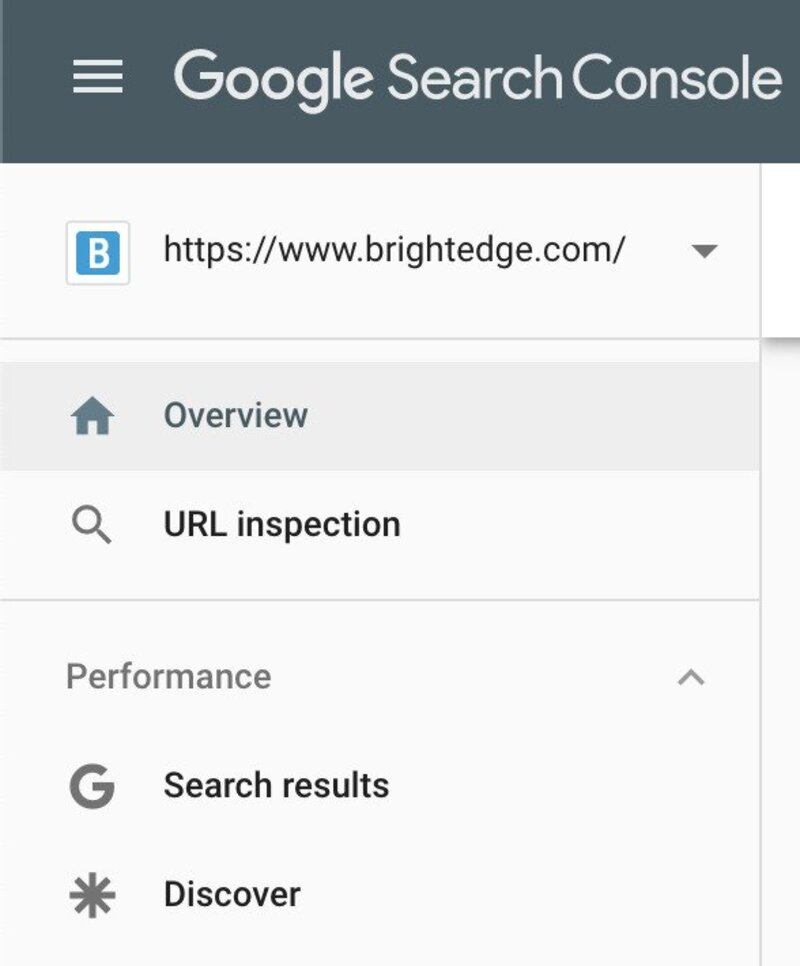
You can monitor your site through Google Search Console and the Google search engine itself. On the search engine, make occasional searches using the site: operation, which will allow you to search only your domain. You can use this command as site:example.com to see how many pages Google claims to have indexed on your site. You can also monitor your indexing through Google Search Console.

Use these two tools to regularly watch for sudden increases in the number of pages indexed. Dramatic increases provide a good indication that something is likely amis with your indexing.

How do I fix index bloat?

Once you uncover a problem of index bloat, you want to work as quickly as possible to resolve the problem. There are a few different strategies to consider.

1. Robots.txt and NOFOLLOW for links. You can use a robots.txt file to disallow certain pages from the Google spider. This tells Google that you do not want these pages crawled. However, if the page is linked to from another page that does get crawled, you might end up with your page being indexed, despite the disallow order.

To prevent this problem, use a NOFOLLOW anywhere in your site where you link to a page that has been disallowed through robots.txt.

2. Meta Robots NoIndex tag. The ‘noindex’ robots meta tag provides search engines with very clear guidance about which pages should not be indexed. By using this tag, you prevent the indexing of the page and tell Google to deindex any page that had previously been indexed.

3. Pagination. If you have multiple pages that list products, for example, you will want to use pagination markup to make it clear to Google that these pages have a relationship. This tells Google that the pages are not duplicates of each other and encourages Google to reduce the indexing of the subsequent pages, which can help reduce bloat.

4. URL Removal. If you need to get a URL deindexed immediately, you can use the Google Remove URL tool. This will get the page deindexed quickly. However, you will still need to take action to make it clear that the page should not be indexed with one of the previous suggestions or it could end up getting indexed again in the future.

Preventing crawl bloat can help protect your SEO efforts and create an improved user experience for leads and customers. As you monitor your site, consider these strategies for ridding yourself of any unnecessary bloat moving forward.

Hreflang Best Practices

gregalbuto
gregalbuto
M Posted 6 years 4 months ago
t 9 min read

Brands who need to reach customers in different countries need to make sure that the content they produce is displayed correctly internationally. Content created for Spanish speakers in Mexico shouldn’t appear for those accessing the website in Spain.

Here is what you need to understand about the importance of the hreflang tag in international SEO and how it can be used to build a strong international digital presence.

Hreflang tag architecture you should understand

There are three places that you can put your hreflang tags, each with their own benefits.

Hreflang in your <head>

You can place your HTML hreflang as link elements directly into your heading, but this can slow down loading times for large sites who have a lot of languages to load. This is perhaps the easiest option, but it will require maintenance. Every time you add or remove a page, you’ll need to update your hreflang tags.

<link rel="alternate" hreflang="en-us" href="https://www.example.com"/>
<link rel="alternate" hreflang="en-gb" href="https://www.example.co.uk"/>

Hreflang in your HTTP headers

For non-HTML documents, you can place your hreflang in your HTTP headers. However, like the link elements in the <head>, large sites with a lot of languages may find that this option slows down their load speed.

Link: <https://www.example.com/file.pdf>; rel="alternate"; hreflang="en-us",
      <https://www.example.co.uk/file.pdf>; rel="alternate"; hreflang="en-gb"

Hreflang in your XML sitemap

You can also use the xhtml:link attribute in your sitemap to add your hreflang code. If you don't have a sitemap, it's critical that you have one and learn to use it for optimization. Fortunately, you can make your changes directly through the sitemap and not worry about adding something to every page of your site. Additionally, if your sitemap.xml file is automatically generated, this approach may make it easier to add or remove pages without worrying about the hreflang setup.

<?xml version="1.0" encoding="UTF-8"?>
<urlset xmlns="http://www.sitemaps.org/schemas/sitemap/0.9"
  xmlns:xhtml="http://www.w3.org/1999/xhtml">
  <url>
    <loc>https://www.example.com/resources/page.html</loc>
    <xhtml:link 
               rel="alternate"
               hreflang="en-gb"
               href="https://www.example.co.uk/resources/page.html"/>

If you have content in many languages and countries, this can become a bit of a cumbersome practice but in the end, coding for each language and location will create value for your website and an overall better user experience for consumers. In addition to pages designated for specific languages and countries, you also need to consider what you want search engines to do in situations where you haven’t specified an hreflang.

Understand hreflang tags and how to use them for your website - brightedge

For example, say that you have a French site specifically designated for France, Switzerland, Belgium, and Canada, but someone in the United States searches in French.

Consider selecting one, a standardized French one, to only designate the language and NOT specifying a country. Your code would simply designate ‘hreflang=”fr”’ rather than “hreflang=”fr-fr”, which will ensure that this French version appears for anyone searching in French outside of your other French Country pages for Canada, Switzerland, and Belgium.

Alternatively, you can also assign one version of the page to be a ‘default’ result that should appear for anyone accessing the page from a country that you have not otherwise specified with a hreflang tag.

The default page code will look like this:

<link rel="alternate" hreflang="x-default" href="https://www.example.com"/>

5 common mistakes with hreflang tags

As website owners begin to set up their hreflang tags to improve their international SEO, there are a few common errors that marketers need to be attentive to. Here are some of the most common mistakes seen that you should check for in your code and our top five tips to correcting them.

  1. Not including the return hreflang tags correctly
  2. Neglecting to verify the language and region codes
  3. Not using the default page
  4. Not setting up the hreflang correctly
  5. Problems with pages the hreflang points to

Use hreflang tags to target consumers in different countries - brightedge

1. Mistake: Not including the return hreflang tags correctly

Fix: Make sure that the hreflang tags you create use the appropriate self-referential canonical tags.

Remember that when one page links to another page as an alternate, that alternate must also link back to the original page. Failing to do so can cause errors in implementing the links. The links might end up being ignored or implemented incorrectly, which will undo any of the benefits that you worked to obtain with the careful creation of the tags.

Also, if the canonical tags all point to the US as being the canonical version, regardless of the country or language of the user, this can result in indexing problems for the sites designed for the international populations which is why canonical tags are so important.

2. Mistake: Neglecting to verify the language and region codes

Fix: As you work to create your hreflang tags, always carefully evaluate the abbreviations you use to make sure you target the right language and country.

The language and region codes used in the hreflang tags come from the ISO 639-1 and the ISO 3166-1 Alpha 2. While some of these codes are what people would expect them to be, such as ‘en’ for English, they are not all what most people would assume. For example, the UK is actually Ukraine, whereas the abbreviation for targeting those in England would be GB, for Great Britain.

3. Mistake: Not using the default page

Fix: Using the x-default option allows you to decide what these users should see.

Without this specific tag, search engines will still display your page on the SERP, and they will try to target the version of your site that makes the most sense, but you will leave this process to chance and their algorithms. It might not exactly be the site version you had wanted displayed to those target customers.

Although not required, it does offer SEO value to setup an x-default page.

4. Mistake: Not setting up the hreflang correctly

Correction tip: The hreflang code must follow a specific order - [Language code]-[country code]. For example: en-gb.

Using these codes in the wrong order - such as putting the country before the language or using something other than the simple dash ‘-’ will invalidate the code.

Marketers must also remember that while you can designate a language without designating a country, you cannot designate a country without a language. That first part of the tag - the language code - must be filled in.

5. Mistake: Problems with pages that the hreflang points to

Correction tip: Hreflang pages must be Status 200 OK

As your domain and business grow, you need to make sure that you stay on top of your website structure. If you have a new domain for a country or end up deleting a version of your website, you have to make sure all your hreflang tags also receive the update. You do not want to have tags that point to missing or incorrect URLs or pages that return any kind of error. If there are redirect errors on your site, it's vital to know about them and how to correct them.

Start optimizing for an international audience today

When it comes to international SEO, hreflang tags offer tremendous value. They allow organizations to ensure that the sites displayed to customers are most likely to align with their needs, which helps to create an ideal user experience. If you have different versions of your website for those who speak different languages or reside in different countries, verify that you have not made these common hreflang mistakes and see how this coding strategy can help you build a strong digital presence.


Advance your SEO and Budget your Time

gregalbuto
gregalbuto
M Posted 6 years 4 months ago
t 9 min read

SEO has become a critical part of marketing for any business who wants to build their online presence. Even for brick and mortar stores, 82 percent of smartphone users say that they will research products online before they buy something in person. B2B buyers also seek high-quality information to guide their purchasing choices. Customers who report the information they uncover while researching products is high quality are 2.8 times more likely to complete their purchase.

The Internet offers consumers today a wealth of information at their fingertips. They can learn about the potential solutions to their pain points along with information about the companies that offer them. Brands that want to attract these customers need to leverage SEO to improve their brand presence and enhance their ability to appear on the SERP.learn to do seo in ten hours - brightedge

SEO, however, can feel intimidating for brands with smaller teams dedicated to managing the demands associated with building an online presence. These teams want to learn more about how they can see SEO progress and build a strong brand presence with a limited time budget per week.

For organizations that see the value in optimizing their digital content and want to see what they can accomplish in just ten hours per week, here are our recommendations to maximize SEO success.

Spend the time to get to know your customers and their journeys

The key to achieving discernable success with SEO on a tight time budget lies in efficiency. You do not have time or resources to waste creating content that is not properly targeted for your buyers. This ineffective content will make it challenging to draw in leads and customers.

Therefore, before you begin a full-fledged SEO program, your team needs to do a thorough study of your target customers and their buyer’s journeys. Speak with the sales teams to learn more about the customers and leads to uncover valuable insight regarding their pain points as well as the obstacles they faced and the demographics that best described them. You want to make sure you have a thorough understanding of their budget, struggles, and the selling points that mattered the most to them throughout the journey.

Market research can also provide valuable information regarding potential holes within the industry that you can help fill.

As you gather this information, map out the journey these customers take, including the questions they ask, as they get closer to conversion. Know the platforms they use to gather more information. See how people interact already on your website, the success of your email lists, and keyword search rates to paint the best possible picture of your customers and their movements.

As you arm yourself with this information, you will have a clear outline of the type of content customers like to see from you and what you need to do to focus your efforts on producing material that will nurture the best possible outcome for your organization.

Know how to prioritize tasks and assign jobs to team members

As you build your team, you also want to appropriately prioritize tasks and assign jobs to team members. To keep your team running as smoothly as possible, you need to have clear expectations for everyone involved in the process so that there are no overlaps or gaps in the content creation and optimization processes.

With your limited time to budget towards SEO, prioritize your tasks based on the needs of your customers and your website. You will need to spend some of your time creating content for your website and some of the time optimizing what you already have. How you make this division will depend largely on the existing quality of your site.

put together a solid team to do seo in ten hours - brightedgeLook at the buyer persons and the journeys you outlined in the previous step. This insight into what customers want to see can help you determine how well your site aligns with their current needs. Your existing site statistics, such as your traffic, engagement, and conversion rates will also provide helpful information into the current state of your website.

Prioritize quick wins to help you see as much SEO progress as possible for the least effort and time needed. Look for opportunities such as:

  • Striking distance keywords, where you are close to achieving a top ranking position. This will help you see where you can quickly move your site into a higher-visibility position for important keywords, attracting more traffic.
  • Keyword gaps on your site. If you have major gaps in your ability to nurture particular buyer personas through the buyer's journey, then you want to make sure these gaps get filled as quickly as possible so that you do not lose potential leads.
  • Keywords that have high search rates but low competition. These keywords can help you attract prospective leads and the lack of competition will provide solid opportunities for rising quickly on the SERP.
  • Important areas where you fall behind the competition. Analyze your competitor sites to see if there are important search terms that they have achieved high rankings for that you have not.

Finding the information to fill each of these categories can be done easily through the BrightEdge platform. With keyword research, competitor analysis, and striking distance keyword reports, you can begin to prioritize the most valuable tasks for your particular site.

Use data to track your progress

As you begin to build your SEO, you want to carefully track your progress so that you know exactly how your efforts impact the success of your website.

Consider the KPIs that align well with your website goals. For example, if you want to expand your brand reach, tracking your site traffic, engagement, and your appearances on the SERP will be important. If you want to increase the number of leads that your site brings in for the brand, you will want to know your traffic, engagement, and conversion rates for each of the steps of the buyer’s journey.

Set up dashboards that will allow you to track your progress from the beginning of your SEO endeavors. By establishing these dashboards, you will set a baseline.

With limited time to dedicate to SEO each week, you want to know as soon as possible what the impact and weight of your different SEO efforts are. See which types of content have the greatest impact on engagement or which optimization efforts do the most to raise the rankings of your website pages. This will make it easier for you to dedicate your limited resources towards the most successful forms of SEO for your particular business.

Have strong supports in place

To help you accomplish the SEO tasks that you have now prioritized, you want to have strong support in place. On a limited time budget, you do not have time to check a variety of different websites and areas to collect measurements or organize tasks with your team. Instead, you want to have all of your helpful information in one place, where anyone from your team can log in to see the relevant data.establish tasks to team members for seo in ten hours - brightedge

The BrightEdge platform makes it easy for teams of all sizes to accomplish their SEO goals. As already discussed, you can use the platform features to design your website priorities and identify content areas that you want to target.

However, you can also use BrightEdge to track your progress so that you can gather information as your SEO process begins to materialize. You can gauge your levels of success and how the efforts you make influence your site performance.

You can also assign tasks to the members of your team to ensure that everyone is on the same page regarding their expectations and what they want to accomplish. Additionally, you can create common dashboards that your team members can view to help you understand your progress and where you want to continue to build. The dashboards area also allows you to create content calendars and similar common documents that the team can use to remain connected wherever they might be.

SEO can be time consuming effort, but some brands find themselves forced to try and maximize their brand’s online presence with a limited time budget. Although SEO in ten hours a week can be a challenge, with the right plan and support it can still help organizations build their digital reputation and bring in more leads and customers. If you have only a few hours a week to dedicate to SEO, consider the advice above as you begin to plan out your strategy.

How to Understand Performance Navigation?

Definition

Guide your audience with proper navigation

When customers arrive on your website, the navigation you provide has an immediate impact on how well they can move around your site and their likelihood of making a purchase. When customers can clearly see how to navigate the site and click to other content that might interest them, it provides excellent encouragement to entice that person to further engage.learn how to maximize performance navigation for your audience - brightedge

A well-constructed website navigation also makes it easier for users and search engine spiders alike to discover all of the pages on your website, ensuring that nothing is overlooked or forgotten.

Quality navigation demonstrates how all of the different pages of your site intersect, helping users and search engines to understand the level of depth you have to offer while also guiding visitors to other pages that might be relevant to their needs.

How to construct a quality site navigation

Site navigation should make sense. You want to think of the pages of your site that best can be grouped together. For example, you may have product pages and blog topics that can be tied together through links, even though they deal with different aspects of consumer nurturing.

Creating content hierarchies can help to organize material into firm categories can help to demonstrate the depth of your content. As you construct these hierarchies, make sure that they contain links between the different categories to help potential customers move between your site areas.

Your site should also contain clear menu and other site navigation options for customers to use as they move around the pages. A site map should simplify the customer’s understanding of where they are in the site and what else they can find on your domain. Breadcrumbs can also help customers see how the page they are on connects to the rest of the site and helps them find the content they want.

Remember the importance of nurturing leads through the funnel

Create your site navigation to encourage people to move through the buyer’s journey. For example include CTAs at the bottom of your site content that make sense based on what customers have just read and where they might want to go next.

Track customer movements

As people visit your site, track how they move through the pages so that you can see how they navigate. Compare this to how you have set up your site navigation and make sure that you provide customers with the most convenient system for moving throughout your website.

Improving your website’s navigation can help you encourage people to further engage with your content. This, in turn, can increase your ability to build a relationship with them and turn them into a lead and then a customer. Use the tips above to think carefully about how you organize your site and what you want it to encourage customers to do.

How to Understand and Prevent Click Fraud?

Definition

Artificial clicks are preventable

When it comes to paid advertising, one of the most common forms of promotion lies in PPC ads. With PPC ads, companies create an ad and then pay based on the number of clicks the ad receives. These types of ads can appear on a variety of different platforms, particularly search engines, where they can be displayed at the top of the search results. Brands appreciate the power of PPC marketing to help get their brand’s content to the top of the SERP, even if they struggled to get their organic content to rank that highly.

However, sometimes these ads can be susceptible to a type of fraud known as click fraud. With click fraud, artificial clicks are generated for a particular ad, so that the brand has to pay for the click without receiving the opportunity to genuinely engage with a potential customer. Those who engage in click fraud might do it for several different reasons.learn to prevent click fraud by fighting back - brightedge

  1. They might want to waste a competitor’s budget to force them to spend money unnecessarily.
  2. Many campains set daily maximums, which indicate the most the organization should pay per day. Therefore, clicking on the ad incessantly at the start of the day can run out the daily budget much faster, leaving more open room for competitors to move in to promote their own ad.
  3. It can even be the result of a disgruntled customer who wants to force the company that they feel ‘wronged’ by to spend unnecessary money.
  4. Sometimes, unscrupulous ad publishers will also click on the ads that appear on their site to generate more income for themselves.

Whatever the reason may be, uncovering and preventing click fraud can help brands save money and avoid gathering irrelevant data from their PPC campaigns.

Fighting back against click fraud

Many major search engines, including Google, have taken steps to try and sort out click fraud to avoid charging brands for clicks that were not genuine.

Google’s anti-click fraud system works to sort through clicks and uncover potential false clicks before the ad owner gets charged. The search engine giant also conducts manual reviews of clicks to further verify that the clicks occurring on ads come from true searchers.

Finally, Google will also receive a particular case if you gather evidence that specific clicks arrived through an ad to your site through a fraudulent means.

What can brands do to reduce their click fraud problem?

To personally look after the clicks your own website receives through PPC does require a bit of research. To track this information, you will need the IP addresses of the visitors who come to your site.

You can use this data to look for repeat visitors that might have suspicious origins. Depending upon the platform where you host your ads, you might be able to secure information regarding the time when that particular IP address clicked on your ad as well as the time when they completed an action on your website. High levels of ad clicks from a certain IP address with low levels of action may indicate click fraud.

If you find your brand has been hit with high levels of click fraud, you can try to use social media to reduce the problem. PPC ads on the social channels, which target ads based on demographics rather than keyword searches, can make it harder for competitors to find the ads and can offer a bit more protection.

Additionally, if the fraudulent IP addresses tend to come from certain areas, such as particular countries where you do not do a lot of business, you can also consider blocking those regions from your ad targeting.

Finally, if you uncover specific IP addresses that are guilty of click fraud, you can also block those addresses specifically on many PPC platforms.

Click fraud makes it harder for brands to accurately engage with their targeted audience. It can result in a waste of money and drained marketing budgets. Understanding what the search engines do to combat this problem, as well as what marketers themselves can do to protect their websites, can help combat this problem.

How to Understand and Utilize E-A-T?

Definition

Master E-A-T for better rank

As the internet continues to mature and the amount of content available online grows, Google has begun to increasingly focus on using the E-A-T acronym to identify the top quality content and the websites offering it.

E-A-T stands for ‘Expertise’ ‘Authoritativeness’ and ‘Trustworthiness’ and it describes the features that the search engine tries to identify in the websites and the content they rank highly for on the SERP.understand and utilize E-A-T for better search ranking with Google - brightedge

As Google increasingly looks to these important features, websites will need to think about how they establish themselves as the source to go to for answers. Simply aligning keywords within content no longer provides significant lift in SERP rankings. Instead, brands need to demonstrate that their website as a whole provides the leadership and answers that customers can rely on.

Here are what brands need to keep in mind as they work to boost their own website.

  • Expertise
  • Authoritativeness
  • Trustworthiness

1. Expertise. Google wants to identify the experts in particular areas. If the author of a particular article has credentials and experience that helps to establish them as a trusted expert in the field, then Google wants to display this person’s content to those making relevant searches.

To build a reputation for expertise, brands should focus on creating content that demonstrates they are the ones to listen to in the field. Any relevant credentials of the author should be included, keeping in mind that Google recognizes that what makes an ‘expert’ varies widely depending upon the field.

The content itself should also align well with user intent and be built to anticipate the next potential questions of customers. Let them know that they have found a source of information that can solve their problems.

2. Authoritativeness. Building authority around your website and your brand focuses on credibility. You want to demonstrate to Google and potential readers that your website is credible and ready to help people solve their problems.

Building backlinks from other reputable sites can help establish your place in the industry. You can also help get your main content authors to publish guest posts on other authoritative resources within the industry.

Creating original research and publishing it can also demonstrate through thought leadership and your place at the front of the industry.

3. Trustworthiness. Google also wants to know that the sites it recommends to readers can be trusted. Building this trust centers around showing that your website has been built for users. Using HTTPS to provide additional security will help to establish your brand as a trustworthy one. Focusing on content and headlines that revolve around providing information and helping users - rather than trying to attract clicks through ‘click bait’, and citing sources and linking to information that supports what you say will also contribute.

Building the E-A-T reputation of your site can help to demonstrate to Google and users that your website should be trusted when it comes to providing information and solving pain points. See how optimizing your site for these factors can help build your reputation and increase your website’s visibility.

How to do A/B Testing for your Site?

Definition

Utilize A/B testing and get to know your audience

A/B testing provides brands with valuable insight regarding what leads and customers want to see from your website. It provides brands with an excellent means of maximizing the the clicks and engagement they get with their content.

There are a wide variety of factors that influence whether or not someone is going to click on a particular piece of content. Seemingly simple criteria, such as the placement of a call-to-action, the phrasing used in the lead magnet, or even the image selected to go along with a gated item request form can all impact the likelihood of someone completing the call-to-action and being a lead or customer.learn how to do a/b testing and get to know your audience better - brightedge

A/B testing provides brands with a means of testing the arrangements and criteria that matter the most to their customers. You can see what your particular customers respond to best and use that insight to build your leads and fuel your growth.

Building an effective A/B test can help you across your marketing campaigns, including creating better ads, improved landing pages, building email engagement, and even boosting purchase rates.

  • Know what you want to test
  • Identify a particular goal you want to achieve
  • Determine what your sample size or test duration will be
  • Interpret your results and take action

1. Know what you want to test. One important first step in creating an effective A/B test lies in picking a single variable to test. If you try to run an A/B test on two versions of the content that have enormous differences between them, it will be harder to know exactly why a particular piece of content performed better than another. Instead, you want to pick a single feature to test. This might be the placement of a CTA button or the image paired with a download form, for example.

As you prepare to run your A/B test, you should have a firm control and variable. Your control will be how the landing page, ad, or other test piece of content looks now. The variable is the adjusted version that you want to compare to the original.

2. Identify a particular goal you want to achieve. Next, you want to identify your goal with running this test. Do you want to boost click through rates or conversions? What will be a significant enough difference in the results for the two pieces of content to warrant making a change?

3. Determine what your sample size or test duration will be. Now, you want to determine exactly how big you want your test to be. For example, you might want to show two different versions of an ad to 1000 customers. If you test a landing page, it can be harder to determine the number of people who see each version, so you want to consider how long you want to run the test.

Make sure that the people who receive both versions of the content come from similar enough populations to warrant comparison. If you are testing two versions of an email message, for example, you do not want to have one version go to your segmented list for medium-sized businesses while the other goes to the large businesses.

4. Interpret your results and take action. After the test has been run for enough time to collect relevant data, you now need to collect and interpret your results. Look back on your goals with the A/B test and see how the results turned out. See what the test results indicated about the preferences of your customers.

Use this insight to make a decision regarding the version of the content you should move forward with. If you did not get statistically significant results, then consider modifying another area of the test and creating a second A/B test to boost the content’s performance.

A/B tests provide valuable insight regarding what customers want to see from organizations and what they respond to when online. Use the insight from these data-driven tests to make the best decisions for your content.

What are Sitelinks and What are the Benefits?

gregalbuto
gregalbuto
M Posted 6 years 4 months ago
t 9 min read

As you make searches on Google, you have likely noticed the appearance of sitelinks. Sitelinks are those additional links that appear below the main URL for a particular domain on the SERP.

Here you will learn the importance of sitelinks - brightedge

These results are designed to help people better navigate your site by featuring the different areas of your site that might interest them. With the sitelinks, people can click directly to the part of your site that interests them the most, rather than clicking on the main URL and having to then navigate to their area of interest. Customers also get a better idea of the variety of content and areas on your site, which then helps them to see your relevance to their particular query.

Sitelinks, however, do not get displayed automatically. Google only displays them for sites when they believe they are highly relevant and helpful for the user. Google itself also selects the pages that get displayed within the sitelink portion, with the site owner having no direct control over the process. There are, however, steps that site owners can take to encourage their appearance on the page.

Given the potential benefits of sitelinks and their impact on SEO and traffic, we wanted to discuss these links with our community. Let’s dive into the benefits of sitelinks for site owners and what you can do to encourage Google to post them for your site. Leverage Site Report to make sure Google and other search engines can find your content.

Benefits of sitelinks

The immediate benefits that sitelinks offer lies in the increase in real estate on the SERP. When you have a domain that displays sitelinks, your listing automatically takes up the space of two to three listings, drawing the eye of every user on the page.

Considering that the top three positions get 52 percent of the clicks from the SERP, the click and traffic implications of taking up this much more space on the SERP become clear.

This additional space on the SERP also helps to build trust and a positive reputation for your organization. Google only awards sitelinks to the domains that it views as deserving of this extra space. Site owners cannot click anything within their search console to activate the links. Therefore, receiving this ‘award’ from Google helps to clearly demonstrate that the search engine views a particular domain as trustworthy.

Also, keep in mind that the sitelinks help to display a range of different pages within your site. It might include main categories from your menu, particular product pages, or portions of a blog. This encourages people to navigate throughout your site, as they can see more of what is offered on your site.

This variety within the listing on the SERP might also encourage people to explore parts of the site that they might not have otherwise looked at. It can help drive traffic to pages that previously did not receive as much attention.

Different types of sitelinks

The sitelinks most people are familiar with are those that Google generates automatically in response to certain queries. These sitelinks appear with the top organic search result and can vary, depending upon the type of query and what Google identifies as the user intent. The links also depend upon Google’s understanding of the site structure and what might help users navigate the site more easily.

The other main type of sitelinks are those that people can add to the Google Ads promotions they create. Google offers a sitelink extension that people can use to include additional links within their ad.

This extension makes it easy for people to offer a more varied ad with more options for customers to click on the material that appears the most helpful for them.

Changes Google has made to sitelinks

Although Google has never given site owners direct control over whether or not their page had sitelinks, until four years ago, people were able to remove certain sitelinks. If a page popped up in your sitelinks area that you did not want promoted on the SERP, you could ask Google to delete that particular link.

this is what you need to know about sitelinks - brightedgeHowever, in late 2016, Google announced that it would no longer allow this option. Essentially, the search engine had decided that their algorithms had matured enough to know which pages would work best within the sitelinks area and that allowing people to discourage certain links unnecessarily complicated things.

Google has said that they do not rule out the possibility of allowing more influence from site masters in the future, but for now, site owners do not have direct control over the process.

As an important note, Bing does allow site owners to demote sitelinks, which are referred to as deep links on this search engine.

Google sitelinks don't just appear - Google makes them appear

Website owners have little control over whether or not sitelinks appear for their material. The creation of sitelinks is an automatic process on Google’s part. The search engine analyzes the structure of your site and then creates the sitelinks as shortcuts that can help users quickly find the information they need. The search engine also says that they only display sitelinks if they would be relevant for the user’s query.

The selection of sitelinks available for a particular domain can also change from query to query depending upon the usefulness of the links for the user.

Sitelinks appear most commonly for branded searches, but can also appear for some other specific searches from highly trustworthy sites as well. Similarly, they most often appear for a site that appears in the first ranked position, but occasionally you may see them for a search result slightly further down on the first page of results, provided that the site is exceptionally well-regarded.

About the sitelink search box

A sitelink search box is a search box that can appear with your domain on the SERP. It allows users to make searches of your website’s pages from the SERP. This allows them to find the exact information they need.

Site owners can use structured data to indicate they either do or do not want the search box to appear for their results. Its ability to bring users a variety of content from your site can make it very appealing from an SEO perspective. Since it is powered by Google, however, users will still have access to outside information while searching, which can result in their clicking of external links.

It is also possible for users with highly reputable sites to have a search box that will offer results to users by directing them to a SERP within the domain, rather than on Google. When this happens, it offers an excellent opportunity for branding and to keep traffic on your page.

Get sitelinks to appear for your site

Keep in mind, as we have already explained, the generation of sitelinks is an automatic process. That doesn’t mean, however, that site owners cannot follow steps to help influence the creation of sitelinks and help Google notice the pages that they do want to have appear on the search result.

When discussing how they select domains for sitelinks, Google specifically speaks about the site organization.

“We only show sitelinks for results when we think they’ll be useful to the user. If the structure of your site doesn’t allow our algorithms to find good sitelinks, or we don’t think that the sitelinks for your site are relevant for the user’s query, we won’t show them.”

Therefore, we believe one of the most important steps members of our community can take is to verify their site organization.

  • Make sure your site structure and hierarchy is clear and logical. If you have not prioritized site structure, this should be good motivation to do so. Not only will this help with sitelinks, but it can also help with other aspects of SEO.
  • Use internal links to help demonstrate your internal site structure and the priority of the pages within your domain. Good linking structures can help to clearly indicate which pages should be prioritized. As you create internal links, use carefully considered anchor text that provides value, without being repetitive.
  • Have a main menu that helps to further emphasize the central categories of content on your page.
  • Build an XML sitemap and make sure it has been properly submitted to Google.

In addition to carefully considering your site structure, you also want to look at your brand name. Make sure your site ranks first for branded searches. If it does not, see if the cause is a name that is not unique enough or if your site needs more optimization work. Look at your URL and site branding to make sure it clearly articulates your brand.

Adding a sitelink search box to your site

Finally, you can also use schema on your site to help Google better understand the content throughout your page and emphasize the parts of your page that you want featured on the sitelinks. For example, you can use a schema markup to create a search box for your site on the SERP. If Google decides that users interested in your site would be well served by a search box, this markup empowers the search box. Conversely, if you do not want the search box to appear, you can use a schema markup that lets Google know this as well.

If you do want the search box, the schema data, as generated for an example by Google, would look like this:

<html>

  <head>

    <title>The title of the page</title>

    <script type=”application/ld+json”>

    {

      “@context”: “https://schema.org”,

      “@type”: “WebSite”,

      “url”: “https://www.example.com/”,

      “potentialAction”: {

        “@type”: “SearchAction”,

        “target”: “https://query.example.com/search?q={search_term_string}”,

        “query-input”: “required name=search_term_string”

      }

    }

    </script>

  </head>

  <body>

  </body>

</html>

If you do not want the search box to appear, then this line of code would suffice:

<meta name=”google” content=”nositelinkssearchbox” />

For more information on the sitelink search box, you can read the Google guidelines here.

Reporting on Google sitelinks

Site owners interested in taking advantage of the potential offered by sitelinks will need to carefully monitor their own site. Know for which queries the domain appears in the top positions and regularly track to see if sitelinks appear for the brand.

When you do have an idea of which queries and pages yield the sitelinks, see how traffic compares between pages that do have sitelinks and those that do not. Monitor also how traffic rates change after sitelink options appear for your site.

If you have sitelinks appear through Google Ads promotions, you can see how the sitelinks directly impact the campaign.

  • Select the campaign you want to check
  • Click on the ‘segment’ button
  • Add a segment for your sitelinks extension
  • Gain a far clearer picture of how well the sitelinks impacted the ad’s performance

Sitelinks offer tremendous potential for sites, empowering them to increase their real estate on the SERP and thereby boost their branding and their traffic. While site owners do not currently have any direct control over when and how the sitelinks appear, taking the steps above can help encourage their appearance and boost the broader SEO strategy at the same time.

How to Target Bottom-of-the-Funnel Sales Leads?

Definition

Close your bottom-funnel leads

Leads at the bottom of the sales funnel have reached the point where they are just about ready to buy. They have evaluated their different option and narrowed down their prospects to their last company or two. Now, they focus on making sure that this investment they are about to make will fully solve their pain point.

Targeting customers at this stage, therefore, revolves around putting their hesitations to rest and providing a well-thought out effort to help them overcome any remaining obstacles so that they can hit the ‘buy’ button.discover how to target bottom-of-the-funnel sales leads - brightedge

Know where customers are

Leads at this stage will likely engage with your brand virtually and on a more personal level. A dedicated sales team will be having an ongoing conversation with these prospects, helping them understand why they should select your product. This lead will also be interested in whitepapers and books that help them understand the results they can expect to receive when they buy as well as demos that can help them start to see the full picture of your product or service.

Creating content for prospects at the bottom-of-the-funnel

As you create content for this stage of the journey, here are some ideas to get started.

  • Sales team insights
  • Competitor insight
  • Customer insight

1. Sales team insights. The sales team will play an important role in this process. Since they will likely already be in a dialogue with the lead, you will want to maintain an open conversation with them about the type of content you need to produce. They can take into account what customers typically want to see as they get closer to making a purchase. The sales team can thus make content suggestions for the different types of materials you produce.

Your sales team will also play an important role in distributing the content. Since the material at this stage will likely be more specific to your brand and have less of a search volume, those actively engaging with the lead will play an important role in guiding prospective customers to answers through the content you have created.

2. Competitor insight. At this stage, you also want to continue to monitor your competitors and see what they offer their prospective customers. Since many customers will be comparing one or two companies as they prepare to make a purchase, you want to know the type of content that the other main competitors have to offer and the impact it has on the buying decisions of leads. The more information you can gather about their bottom-of-funnel material, the more prepared you will be to make sure that your material out-performs theirs.

3. Customer insight. Once you do successfully convert customers, ask them about their decision-making process and what helped them to understand why your product or service would provide the most benefit. Learn about the content or the conversations with the sales team that helped persuade them to take that final step and convert.

The better you understand what encouraged one customer to convert, the more prepared you will be to create material that will help others as well.

Creating content for the bottom-of-the-funnel provides a critical part of the buyer's journey. It encourages people who have reached the stage to buy to complete the process and end their pain point with the help of your organization. As you begin to lay out your funnels and create material to target your end-of-the-funnel leads, consider the advice above and see how it can benefit your brand.

How to Target Mid-Funnel Sales Leads

Definition

Win over your mid-funnel leads

When people move to the middle-of-the-funnel, they have already been researching their pain point and have begun to understand their various choices. A few company names start to stand out to them as they begin to form a ‘short list’ of potential companies that they want to buy from.Learn how to sell at the middle of the digital marketing funnel - brightedge

When you want to target customers at this stage of the marketing funnel, you will need to understand their comparison process. You want to create a strong sense in their mind that you are the authority on the subject and the solution they need, and that thus they should trust you and what you can offer them.

Know where your customers are

Your first step in targeting customers in the middle of the sales funnel lies in understanding what platforms you can use to engage with them.

The presence you nurture on the SERP and the authority on your website continue to be important factors. Customers may look for downloadable whitepapers and ebooks. Your email list and the content you promote to email subscribers will also play an important role.

Your social media profile should also offer a strong presence where you demonstrate a willingness to actively engage with prospective customers and answer their questions or address their concerns as they arise. Here are some places to begin.

  • Target leads with content
  • Understand main competitors
  • Website traffic
  • Conversations with customers

1. Targeting leads with content. As you build your presence on these different platforms, you need to know how to generate topic ideas that will interest your customers and continue to nurture them to conversion.

2. Understanding main competitors. Spend the time developing a thorough understanding of your competitors. Know what appeals to customers who elect to buy from them and how they nurture their leads towards sales. This can offer valuable information about strategies that you can try as well as potential gaps that you can capitalize on to grow your business.

Remember that leads at this stage have also begun to create a short list of companies they may buy from. Therefore, knowing your top competitors can also help you plan content that focuses on pointing out why your brand offers a better solution than the product or service offered by the other brand.

3. Website traffic. Your website itself can also offer valuable information about what people at the middle of the marketing funnel want to see from organizations. Look at where customers click on your website and the types of content that seem to engage them the most. Monitor the types of email messages that get the most click throughs and the content that encouraged people to click around the site.

This information will help you gain a more complete picture of what customers want to see and what interests them the most on your site. This information can help inform the content creation process as you focus on the most relevant material.

4. Conversations with customers. Your customers can also provide helpful information about what they want to see. As you build relationships with your customers, ask them about their buying process. See what mattered to them the most as they headed into the mid-funnel area. Uncover potential topic ideas and themes as you create material that will also encourage new potential customers to learn more about your company and what you have to offer.

As leads progress through the top-of-the-funnel stages into the mid-funnel stages, you want to provide them with strong motivation to keep coming back to your organization. Creating content that helps to set you apart from the competition can build your business. Encourage people to submit contact information so that you can nurture these leads further plays a significant role. 

,