



Thank you for registering for this webinar. You can download the on-demand version below.
To learn more, please visit our Resource Center and read our Case Studies.


BrightEdge data shows that three of the most-shopped days, traditionally, are changing with Black Friday becoming a Mobile Black Friday because of the number of consumers shopping on mobile.
Achieve your demand generation goals more efficiently by prioritizing your work with real time content performance data. Gain comprehensive insights of content distribution, discoverability, conversion and social sharing all within one central hub with Page Reporting. Maximize marketing ROI by investing in a well-balanced digital marketing mix with insights from Intent Signal.
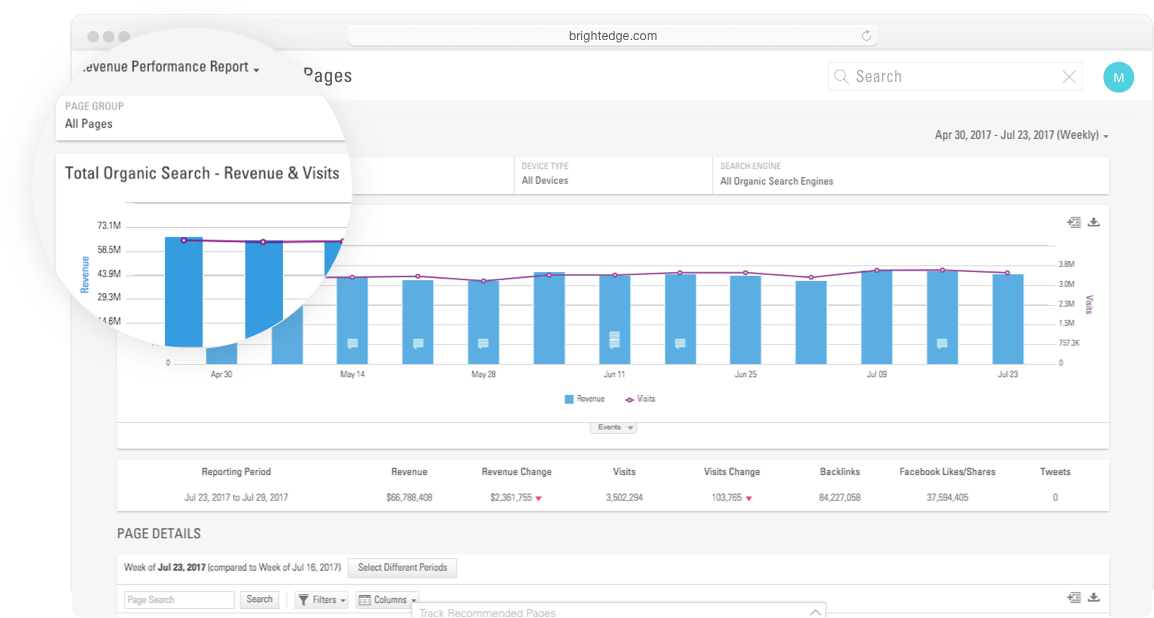
Demand the most results out of your digital content. Shine a light on the hardest working content, and identify its winning formula to replicate success with Page Reporting. Test and iterate content strategies that will best resonate with your target buyer personas with Buyer’s Journey dashboard.
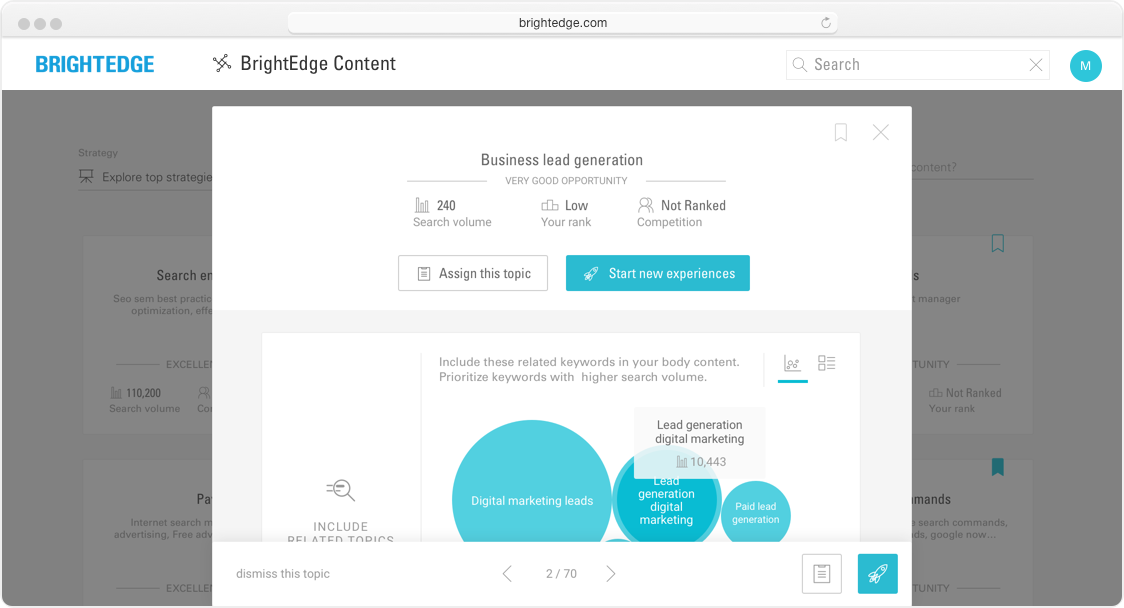
New content creation with no sweat with BrightEdge Content. Build, launch and optimize campaigns with easy-to-use landing page editors that comply with SEO best practices. Streamline campaign creation with templates, forms, and CTAs – all accessible within the same interface. Boost campaign conversion rates with advanced targeting by CTA blocks, persona, keyword, and geo
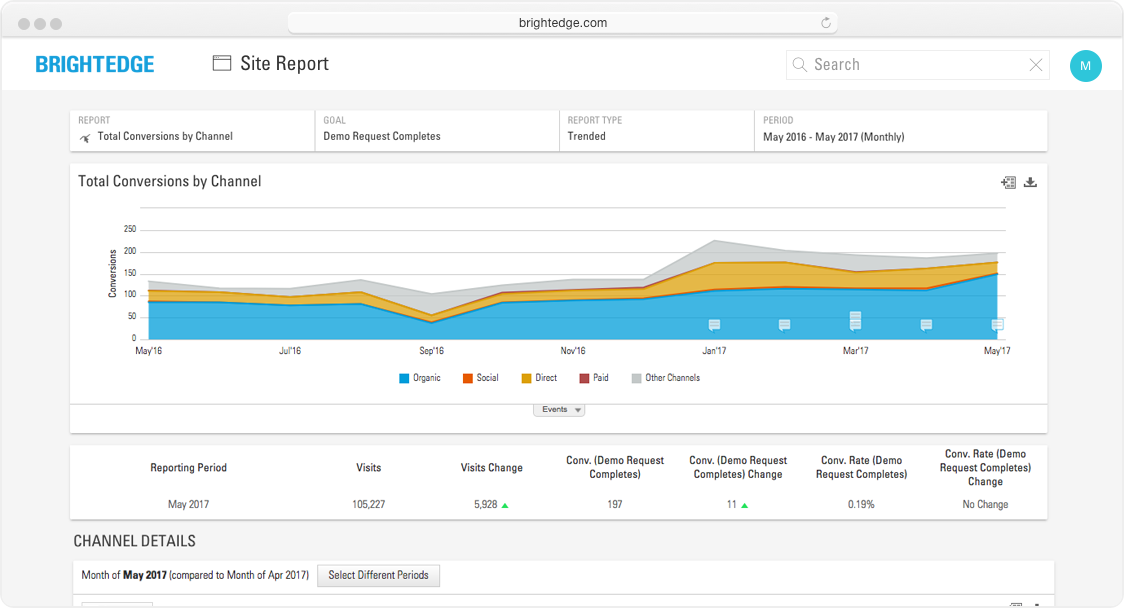
Measure campaign portfolio ROI with conversion metrics across multiple campaigns. Review how site visits and conversions has trended over time across campaigns. Measure channel effectiveness with campaign performance across organic, paid, social and other channels with Site Report.
BrightEdge Content is an AI-powered content marketing solution for driving marketing performance
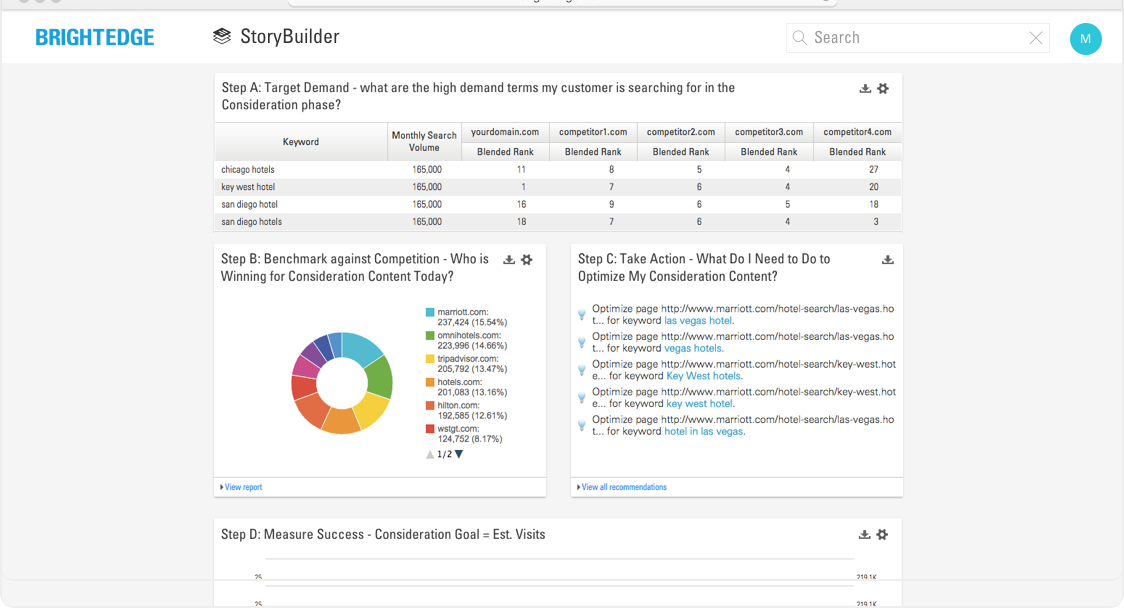
Use StoryBuilder to create the dashboards that elevate the role of organic search.
Data Cube is the industry’s most powerful SEO research solution to prioritize and formulate successful search and content strategies.

Integrated marketing campaigns may seem old-school, but contributor Kevin Bobowski explains why they're essential for marketers who want to keep their marketing departments agile and efficient.
Thank you for registering for this webinar. You can download the on-demand version below.
To learn more, please visit our Resource Center and read our Case Studies.

You’ve likely seen references to structured data, semantic markup and schema. So what do these terms mean, exactly, and how do they apply to your site’s organic search performance? Often used interchangeably, these terms refer to a set of basic code–essentially, schematic instructions–that supplements the HTML (hyper text markup language) foundation of Web content. In and of itself, schema is not a language; rather, it is a “vocabulary” supported by HTML. Schema serves to define your site’s content so search engines “understand” it better (think schematics or diagrams). Its system of code creates a standard for conveying concepts, and instructs search engine robots (aka bots, crawlers, spiders) how to interpret your Web content and accurately display it on their search engine results pages (SERPs), such as those on Google or Bing.
By helping search engine bots properly crawl and interpret your site’s content, schema can further boost SEO performance by displaying your content with greater detail in the search results; referred to as “rich snippets,” content marked up with schema can render enticing SERP results that can include elements, such as “thumbnail” images and reviews. Like the “Sitemaps Protocol” of 2006, schema markup represents a collaborative initiative from Google, Bing, and Yahoo! to support a common vocabulary for structured data markup on Web pages. As Google announced via its Webmaster Central blog in June of 2011, the purpose of schema is to make “the open Web richer and more useful” to all search users. Google shows an example of how using schema markup can transform what might have been another relatively mundane SERP listing of a recipe into a compelling rich snippet: 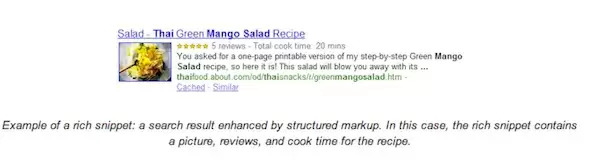
Such details–in this case, a thumbnail image, reviews and cook time–clearly distinguish this site’s content from competing sites in the SERPs. Reviews and recipes are just two examples of how leveraging schema markup can boost SEO. To date, Google has not officially said schema impacts rankings, but the collective opinion of the SEO community is that implementing schema does help with click through from the SERPs. Let’s look at how to implement schema markup to boost SEO using an online article as an example.
Using schema article markup found here can help Google’s bots better understand an article’s or online post’s content and improve the chances it will appear in the search results. The U.S. major league baseball (MLB) World Series win by the San Francisco Giants generated a flurry of posts and articles. The prize, in terms of search ranking, goes to this Bleacher Report article by Scott Miller. As the screenshot below shows, his piece achieved the No. 1 Google SERP position for the keyword “sf giants.”
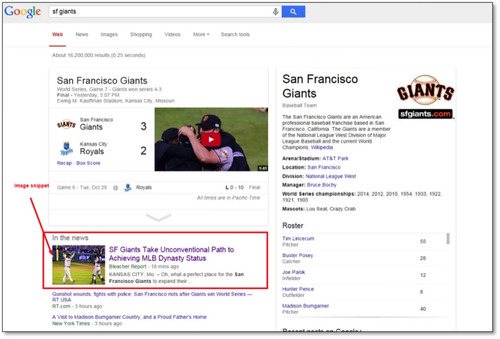
Savvy schema markup helped the article display in a richer manner in the SERPs. To demonstrate the schema for this page, I’ll share the code needed for content like this, with schema properties in bold: <div itemscope itemtype="http://schema.org/Article"> <h1 itemprop="headline name">Your Headline</h1> <p itemprop="author">Author</p> <meta itemprop="datePublished" content="2014-10-30"> October 30, 2014 at 02:18 PM PT</p> <p><img itemprop="image" src=" image-url" ></p> <p itemprop="description"> article description.</p> </div> The schema info added includes:
As a structured data system, schema has been developed through the collaboration of Google, Microsoft, Yandex, and Yahoo. The Schema.org site includes an exhaustive list of the different types of schemas available, with example code. There are 589 types, 860 properties, and 114 enumeration values. You will need to access the website to create the markup for the pages that you want to emphasize. For additional guidance, Google created the Structured Data Testing Tool, which helps developers ensure a proper schema implementation. Using the Google Webmaster Tools “structured data testing tool,” anyone can test to see that their schema markup elements fulfill the guidelines after implementing.
Simply entering the URL of Bleacher Report’s article in the tool returned the information in the screenshot above. The top third of the tool’s results, shown as “extracted structured data,” reflect those areas where webmasters can define schema instructions for displaying content via the backend code of their site. If it’s not implemented well, the testing tool will show: “No data detected. Learn more” under the “Extracted structured data” results.
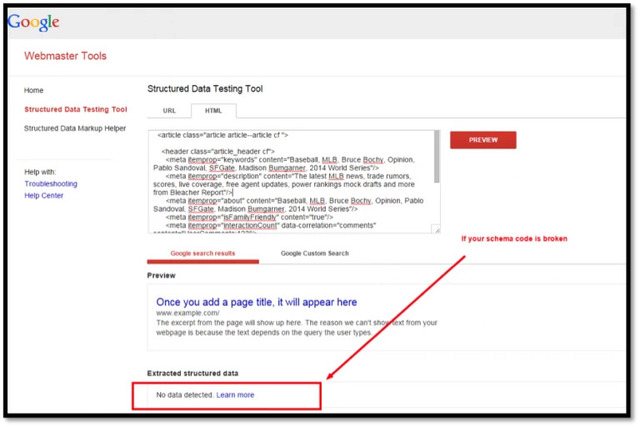
You can also review if the schema code is working by simply viewing the content with your browser. The text that you see on the Web page should have no issues that indicate broken code (for example, the thumbnail image not rendering). Schema can help some organizations atomize their content, meaning break it down and repurpose it through various channels without manually reformatting it. There is also a rise in the use of AI and voice search, which may also impact the value of schema for brands moving forward. Artificial intelligence has been incorporated into Google through RankBrain. Voice search has also risen quickly as people adopt voice options on their smartphones and home devices as well as voice-controlled personal assistant devices. In this search atmosphere, the importance of minimizing mistakes in the interpretation of websites becomes enhanced. This will increase the importance of schema for the time being. In the future, we anticipate that artificial intelligence will become even more capable of interpreting websites and consequently minimize the need.
Google has created a knowledge graph section for job listings. This move follows a pattern similar to Local or Quick Answers, but the content still comes from the brands and the job sites, unlike tickets, sports scores, and weather, which Google provides unbranded. Best practices still create opportunities for appearing in GFJ, including relevance, detail, depth, and a new schema markup which will allow Google to crawl the listings more easily.
As Google described in their blog post announcing this new feature: Today, we’re taking the next step in the Google for Jobs initiative by putting the convenience and power of Search into the hands of job seekers. With this new experience, we aim to connect Americans to job opportunities across the U.S., so no matter who you are or what kind of job you’re looking for, you can find job postings that match your needs. With Google for Jobs, it will be easier for users to search for opportunities through Google and then receive information from across the web displayed in a standard SERP. For many jobs, candidates will be able to see reviews and employer ratings right alongside the job description. Users signed into Google will also receive valuable personal information, including projected commute times. Learn more about how to implement schema for Google for Jobs in our POV.
Google for Jobs gives all brands a reason to take a look at implementing schema. Additionally, if you have review assets, ratings, are an ecommerce, events, reviews, or recipe site or have a significant local effort to markup you should use schema. Other companies should also keep an eye on schema and look for mapping evolutions that apply to and would help specific content efforts. Over time, Google and the other search engines will get better at understanding the meaning of websites and additional microdata explanations may become less important. For now, however, schema markup is required to be part of the enhanced experiences in search results. We recommend that brands hold developers accountable to maintaining proper schema, but make sure general on-page search optimization and page load speed are first. In conclusion, while schema may seem like a complicated thing, it’s not so bad once you understand the basics of implementing it. And with so many options to make your content more readable by the search engines, it can get addicting! For more information about schema markup, visit the schema.org website, or Google’s schema.org FAQ page. Of course, you’re always welcome to ask us via the comments below.

Thank you for your interest in BrightEdge's 2017 Holiday Shopping Update report.
Download your resource now by clicking the button below. For your convenience, we've also emailed you a link where you can download this resource anytime. For more information, please visit our resource center or schedule a demo.
