What is a Title Tag?

A title tag is what appears above the URL on the search engine results page. It is one of the factors that influences whether a user will click on the link. For example, the title tag: <title>Content Performance Marketing and SEO Blog | BrightEdge</title> will appear as:

Title tag and title tags example - brightedge

Title tag and title tags information - brightedgeWhat makes a good title tag?

There is some disagreement over the importance of the title tag. A page with poor-quality content can stamp an awesome tag on their content and see little to no impact, and high-quality pages can be ranked well even without one that stands out. Search engines rely on title tags to understand the content that appears but it's also imporant for your customers to easily understand title tags as well. You'll want to use title tags as a sort of selling point to click on your link. Include words that draw attention to what your content is offering. Be sure to include a high ranking keyword in your title tag to ensure visibility through search engines. Note that they should appear to the left of your company's name.

While some argue that title tags have little significance, the value of them come in its ability to draw clicks and entice people to learn more about your site. A good title tag tells users that this is an article that will answer their question and encourage them to click. Thus, good title tags can help increase your traffic and engagement rates, improving your ranking.

How do you write a title tag?

  1. Use keywords that help accurately capture the value and content of your page.
  2. Be brief but effective. Keep title tags under 55 characters. You do not want your title to get truncated, and there is limited space available for the tag.
  3. Create a tag that captures the eye and engages people immediately.
  4. Create a unique tag for every page. This will keep you from being penalized for duplicate content.
  5. Always review your title tags after you have finalized your content to make sure it is still a good fit.
  6. Monitor your page traffic, such as with the BrightEdge Page Reporting tool, to see how it is performing.
  7. Make adjustments when necessary.


Title tags can influence how many people click on your link and engage with your brand. Drive plenty of traffic to your site by optimizing and creating title tags that viewers want to see. Draw attention with the basics of SEO. Keep these guidelines in mind and create tags that people are inclined to click to maximize your SERP visibility.

<< Back to the SEO Glossary main page

Definition

A title tag is what appears above the URL on the search engine results page. It is one of the factors that influences whether a user will click on the link. For example, the title tag: <title>Content Performance Marketing and SEO Blog | BrightEdge</title> will appear as:

Title tag and title tags example - brightedge

Title tag and title tags information - brightedgeWhat makes a good title tag?

There is some disagreement over the importance of the title tag. A page with poor-quality content can stamp an awesome tag on their content and see little to no impact, and high-quality pages can be ranked well even without one that stands out. Search engines rely on title tags to understand the content that appears but it's also imporant for your customers to easily understand title tags as well. You'll want to use title tags as a sort of selling point to click on your link. Include words that draw attention to what your content is offering. Be sure to include a high ranking keyword in your title tag to ensure visibility through search engines. Note that they should appear to the left of your company's name.

While some argue that title tags have little significance, the value of them come in its ability to draw clicks and entice people to learn more about your site. A good title tag tells users that this is an article that will answer their question and encourage them to click. Thus, good title tags can help increase your traffic and engagement rates, improving your ranking.

How do you write a title tag?

  1. Use keywords that help accurately capture the value and content of your page.
  2. Be brief but effective. Keep title tags under 55 characters. You do not want your title to get truncated, and there is limited space available for the tag.
  3. Create a tag that captures the eye and engages people immediately.
  4. Create a unique tag for every page. This will keep you from being penalized for duplicate content.
  5. Always review your title tags after you have finalized your content to make sure it is still a good fit.
  6. Monitor your page traffic, such as with the BrightEdge Page Reporting tool, to see how it is performing.
  7. Make adjustments when necessary.


Title tags can influence how many people click on your link and engage with your brand. Drive plenty of traffic to your site by optimizing and creating title tags that viewers want to see. Draw attention with the basics of SEO. Keep these guidelines in mind and create tags that people are inclined to click to maximize your SERP visibility.

<< Back to the SEO Glossary main page

What is a Thumbnail in a Video?

The Value of the Video ThumbnailWhat is a thumbnail in a video?

A video thumbnail is like a preview of the video a user will see. It is the single frame that appears with the title of the video, encouraging them to click on a particular option. Since it is such a prominent image, it is an important factor for users when determining whether or not to click on a particular link. Taking the time to select the thumbnail that will best capture your audience will help to increase your views and engagement.

What is the purpose of a thumbnail?

The purpose of a thumbnail is a smaller image of a larger image. When selecting the right thumbnail, it is important to remember the value of emotion. Customers can be heavily persuaded by how they feel. Although we like to think of ourselves as rational beings, emotion can play a big role in the decisions we make. Selecting a frame, therefore, that uses a human subject portraying a positive feeling can be very powerful.

This frame should also convey something about the content and help the user feel drawn to this particular link. Eye contact can be a great way to convey emotion and build relationships, so a frame when the subject makes eye contact with the audience can be helpful.

How do thumbnails work?

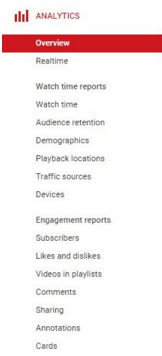
You will need to look at the metrics provided for you. If this video is on YouTube, you will be able to access numerous different analytics that will tell you how often your video was seen, watched and enjoyed all the way through. You can also collect information about the traffic sources, demographics and devices used by your viewers. This will give you considerable insight into what your users were looking for and how you measured up. Low click-throughs but high watch times may indicate that your thumbnail is poor-quality, causing many people to skip your content, but the video itself is engaging, for example. This can inspire you to adjust your thumbnail.

Your thumbnail is a valuable means of persuading customers to click on your link and watch your video. Selecting one that conveys emotion and builds the relationship between company and customer can help you maximize your video presence.

<< Back to the SEO Glossary main page

Definition

The Value of the Video ThumbnailWhat is a thumbnail in a video?

A video thumbnail is like a preview of the video a user will see. It is the single frame that appears with the title of the video, encouraging them to click on a particular option. Since it is such a prominent image, it is an important factor for users when determining whether or not to click on a particular link. Taking the time to select the thumbnail that will best capture your audience will help to increase your views and engagement.

What is the purpose of a thumbnail?

The purpose of a thumbnail is a smaller image of a larger image. When selecting the right thumbnail, it is important to remember the value of emotion. Customers can be heavily persuaded by how they feel. Although we like to think of ourselves as rational beings, emotion can play a big role in the decisions we make. Selecting a frame, therefore, that uses a human subject portraying a positive feeling can be very powerful.

This frame should also convey something about the content and help the user feel drawn to this particular link. Eye contact can be a great way to convey emotion and build relationships, so a frame when the subject makes eye contact with the audience can be helpful.

How do thumbnails work?

You will need to look at the metrics provided for you. If this video is on YouTube, you will be able to access numerous different analytics that will tell you how often your video was seen, watched and enjoyed all the way through. You can also collect information about the traffic sources, demographics and devices used by your viewers. This will give you considerable insight into what your users were looking for and how you measured up. Low click-throughs but high watch times may indicate that your thumbnail is poor-quality, causing many people to skip your content, but the video itself is engaging, for example. This can inspire you to adjust your thumbnail.

Your thumbnail is a valuable means of persuading customers to click on your link and watch your video. Selecting one that conveys emotion and builds the relationship between company and customer can help you maximize your video presence.

<< Back to the SEO Glossary main page

How Do I Select Blog Images for My Content?

Learn to choose blog images that work for your site - brightedgeWhat should you consider when choosing blog images?

Images offer users a number of advantages when they are added to content. The increased engagement is an important one for many brands. People enjoy looking at images, which might be why Tweets with images receive 5x the engagement of those that do not. Images help to promote everything from Facebook posts to blog posts. They help readers connect with the content by making the entire post or piece more personal.

Image can also be useful for Google rankings. When you optimize your images with Alt text and tags, then your image can rank for related queries on Google images. This can help you boost traffic and brand awareness as well.

How do I choose blog images for my site?

It is important to first note that the right images will rarely be a stock image. Stock images are impersonal, and they can be seen on nearly any site on the web - and customers know that. They recognize the image you have of a woman using a computer is the same one they saw on a different website last week. Even if people understand intellectually why you use stock images, they can still damage your credibility.

If you are trying to obtain Google rankings or Google Quick Answers, it is also important to note that Google generally does not rank stock images in Google Images. Using private photos is the best way to earn that extra search engine boost.

You want to create a personal image. Find something that reflects the emotions and message that you are trying to communicate with your audience. Make sure that the image is clear and engaging, and not something that was just taken with a camera phone.

What are the steps to using blog images effectively?

  1. Review your content and think about the images that come to mind when visualizing your material through the eyes of the customer. Think about the emotions you want to illicit and the message you want to send.
  2. Create a custom image that fits with your brand and introduces your customers those behind the company. It might be pictures of you and your employees, real past customers, products, your offices or anything else applicable.
  3. Optimize your image for Google with Alt text and titles to help them attract any potential attention on image searches.
  4. Measure your engagement rates of the content with these images and use the information to adjust future strategies.

Images are valuable tools for brands looking to build engagement with their content and entice more customers to learn about their organization. Using images correctly is important for brand success, so keep these guidelines in mind.

<< Back to the SEO Glossary main page

Definition

Learn to choose blog images that work for your site - brightedgeWhat should you consider when choosing blog images?

Images offer users a number of advantages when they are added to content. The increased engagement is an important one for many brands. People enjoy looking at images, which might be why Tweets with images receive 5x the engagement of those that do not. Images help to promote everything from Facebook posts to blog posts. They help readers connect with the content by making the entire post or piece more personal.

Image can also be useful for Google rankings. When you optimize your images with Alt text and tags, then your image can rank for related queries on Google images. This can help you boost traffic and brand awareness as well.

How do I choose blog images for my site?

It is important to first note that the right images will rarely be a stock image. Stock images are impersonal, and they can be seen on nearly any site on the web - and customers know that. They recognize the image you have of a woman using a computer is the same one they saw on a different website last week. Even if people understand intellectually why you use stock images, they can still damage your credibility.

If you are trying to obtain Google rankings or Google Quick Answers, it is also important to note that Google generally does not rank stock images in Google Images. Using private photos is the best way to earn that extra search engine boost.

You want to create a personal image. Find something that reflects the emotions and message that you are trying to communicate with your audience. Make sure that the image is clear and engaging, and not something that was just taken with a camera phone.

What are the steps to using blog images effectively?

  1. Review your content and think about the images that come to mind when visualizing your material through the eyes of the customer. Think about the emotions you want to illicit and the message you want to send.
  2. Create a custom image that fits with your brand and introduces your customers those behind the company. It might be pictures of you and your employees, real past customers, products, your offices or anything else applicable.
  3. Optimize your image for Google with Alt text and titles to help them attract any potential attention on image searches.
  4. Measure your engagement rates of the content with these images and use the information to adjust future strategies.

Images are valuable tools for brands looking to build engagement with their content and entice more customers to learn about their organization. Using images correctly is important for brand success, so keep these guidelines in mind.

<< Back to the SEO Glossary main page

Scaling In Research For Your SEO-Driven Content

discover how scaling in research can help your business's content - brightedgeWhy is scaling content important?

The content marketing industry today has become increasingly saturated. Eighty percent of B2B brands and 81 percent of B2C brands say that they have some type of content marketing strategy. To compete in this field, therefore, brands must be able to produce content that adds value and grabs the attention of their audience.

The best way to accomplish this goal is with an efficient workflow that allows brands to call upon the skills of everyone on their team.

This workflow will start with a SEO researcher who use data to uncover high-value keywords. Then the writers develop the content, which is passed to content strategists and marketing managers to refine to fit the precise role of the piece. When this process runs efficiently, the brand is able to meet their content demands and provide customers with the material they seek.

Why is it important to use a workflow?

In the early stages of content marketing maturation (link to piece on content marketing maturation process), it is common for brands to rely just on one or two people to produce their content. The problem with this approach is that it neglects the expertise of countless other team members. It is not efficient to have one person handle all the work that goes into content development. Instead, having multiple people work together to produce the content that the brand needs in a collaborative atmosphere allows everyone’s expertise to shine while producing content to scale to meet modern demand.

How do I create a workflow to scale content for my business?

  1. Outline objectives that the brand will have for a particular marketing campaign.
  2. Determine metrics that can be used to measure content performance.
  3. Outline the steps in a content creation workflow.
    1. Determine keywords, target and content type
    2. Develop the content
    3. Distribute and promote the content
    4. Analyze the content and compare to original goals
  4. Bring team members together to help them establish a collaborative effort for the content.

Scaling in research is the key for brands who now need to produce high-quality content in larger numbers to meet the demands of modern customers. Establishing an efficient workflow is the cornerstone of accomplishing these goals and moving your content production process forward.

<< Back to the SEO Glossary main page

Definition

discover how scaling in research can help your business's content - brightedgeWhy is scaling content important?

The content marketing industry today has become increasingly saturated. Eighty percent of B2B brands and 81 percent of B2C brands say that they have some type of content marketing strategy. To compete in this field, therefore, brands must be able to produce content that adds value and grabs the attention of their audience.

The best way to accomplish this goal is with an efficient workflow that allows brands to call upon the skills of everyone on their team.

This workflow will start with a SEO researcher who use data to uncover high-value keywords. Then the writers develop the content, which is passed to content strategists and marketing managers to refine to fit the precise role of the piece. When this process runs efficiently, the brand is able to meet their content demands and provide customers with the material they seek.

Why is it important to use a workflow?

In the early stages of content marketing maturation (link to piece on content marketing maturation process), it is common for brands to rely just on one or two people to produce their content. The problem with this approach is that it neglects the expertise of countless other team members. It is not efficient to have one person handle all the work that goes into content development. Instead, having multiple people work together to produce the content that the brand needs in a collaborative atmosphere allows everyone’s expertise to shine while producing content to scale to meet modern demand.

How do I create a workflow to scale content for my business?

  1. Outline objectives that the brand will have for a particular marketing campaign.
  2. Determine metrics that can be used to measure content performance.
  3. Outline the steps in a content creation workflow.
    1. Determine keywords, target and content type
    2. Develop the content
    3. Distribute and promote the content
    4. Analyze the content and compare to original goals
  4. Bring team members together to help them establish a collaborative effort for the content.

Scaling in research is the key for brands who now need to produce high-quality content in larger numbers to meet the demands of modern customers. Establishing an efficient workflow is the cornerstone of accomplishing these goals and moving your content production process forward.

<< Back to the SEO Glossary main page

SEOと広報 (PR) の連携に関するベストプラクティス(2016年4月20日 Erik Newton)

<p>15年前、インターネットが私たちの社会をどのように変えるのか、想像もできませんでした。いまや、私たちの購買活動から友達や家族との連絡方法に至るまで、インターネットはあらゆることに影響を及ぼすようになりました。インターネットは、消費者の行動パターンや嗜好の劇的な変化を引き起こしましたが、企業に関しても、その理想的な消費者との接し方に関して影響を与えました。このことは、広報活動とSEOの取り組みについて考えてみるとさらに明らかになります。</p>

<p class="rtecenter"><img alt="SEO PR best practices infographic" class="aligncenter wp-image-10570" height="550" sizes="(max-width: 769px) 100vw, 769px" src="https://www.brightedge.com/blog/wp-content/uploads/2016/04/PR_infograph…; srcset="https://www.brightedge.com/blog/wp-content/uploads/2016/04/PR_infograph… 150w, https://www.brightedge.com/blog/wp-content/uploads/2016/04/PR_infograph… 300w, https://www.brightedge.com/blog/wp-content/uploads/2016/04/PR_infograph… 768w, https://www.brightedge.com/blog/wp-content/uploads/2016/04/PR_infograph… 1024w, https://www.brightedge.com/blog/wp-content/uploads/2016/04/PR_infograph… 1280w" width="769" /></p>

<p>SEOと広報の2つの分野は、異なる起源を持ちます。広報活動は、20世紀の初頭から様々な形で存在してきました。最初のプレスリリースは、<a href="//www.ereleases.com/prfuel/history-of-the-press-release/&quot; target="_blank">1906年に公開</a>されました。広報活動は、主に、宣伝と販売に関するものです。</p>

<p>一方で、デジタルマーケティング、および SEO は、インターネットの成長に伴い、ITを基盤とする専門分野として発展してきました。その手法は、多くの人々や企業によって、ウェブサイトの作成し、検索エンジンでの露出を増やすためにレイアウトやキーワードなどの要素をいろいろと試す中で発展してきました。</p>

<p>この2つの専門分野は、常に変化する現代マーケティングに適応し、お互いに絡み合い、繋がっていくようになりました。広報は企業ブランドのメッセージへの関心を高めることに注力します。広報のスペシャリストは、企業の評判を高め、消費者に製品を売りたいと考えています。そして、このことは、SEOの中心的な目的となりました。</p>

<p>この2つの専門分野が重なっていることは、一貫したSEO・広報戦略を作るため、協業することが重要であることを示しています。広報は、<a href="https://www.brightedge.com/blog/how-do-social-content-and-organic-searc…; target="_blank">検索とソーシャル</a>が販売促進と企業ブランドの開発のためにとても重要であることを理解し、もっとSEOに力点を置くべきです。同時に、SEOは、企業ブランドのプロモーション、ブランドへのロイヤルティの構築、製品やサービスの販売における広報の価値を理解する必要があります。</p>

<p>SEO広報戦略を構築するために検討するべきことを、以下、ご紹介します。</p>

<h2>SEOと広報のかかわり</h2>

<p>2013年、<a href="//searchengineland.com/google-adds-large-scale-guest-posting-advertorials-optimized-anchor-text-to-list-of-link-schemes-168082" target="_blank">Google が発表した内容</a>は、プレスリリースからのバックリンクは重みを持たない、なぜなら、不自然なリンクだから、というものでした。このことは、SEO戦略におけるプレスリリースの役割に関して、多くの議論を巻き起こしました。</p>

<p>Google の決定は、インターネット上のフォロワーに対してニュースを提供する有効な手段としてのプレスリリースを否定したものではありません。意味が薄いプレスリリースをたくさん出してリンクを稼ごうとするスパム戦略を、減らそうとする意図から出たものでした。多くの企業は人気のあるプレスリリースサイトに記事を出して、読者にはあまり価値がないにもかかわらず、多くのバックリンクを集めて、ターゲットされたアンカーテキストをそのリンクに使用したものでした。</p>

<p>プレスリリースからのバックリンクの影響を最小限にすることによって、Google は、再度、有意義で役に立つ情報をユーザに届けるように仕向けたのです。企業は、ニュースそれ自体に重要性が無ければプレスリリースを出さなくなるでしょうから。</p>

<p>バックリンクの価値がないとしても、広報とSEOは、協業可能です。よい文章でよい場所に公開されたプレスリリースは、一般の注意を引き付け、企業のウェブサイトにより多くのトラフィックをもたらし、バックリンクの恩恵がなくてもキーワードのランキングを向上します。</p>

<p>また、広報活動は、企業の名前を提示し、企業がどのようなことを成し遂げたのかを提示します。自社が業界の権威でリーダーであると認めるようになると、自社のブランド認知やロイヤルティはあがります。目を引くプレスリリースを出すと、さらに、ジャーナリストや報道機関が取り上げてくれることがあります。こうなるとさらに自社の露出や信用度は上がります。<a href="https://www.brightedge.com/news/press-releases/new-brightedge-content-o…; target="_blank">ブライトエッジのプレスリリース</a>が<a href="https://www.brightedge.com/products/optimize-content/content-optimizer&…; target="_blank">Content Optimizer</a> 4.0について取り上げたときを例にとると、<a href="//www.reuters.com/article/idUSnMKWn9Rjla+1c8+MKW20151117&quot; target="_blank">ロイター社に取り上げられました。</a>当社のブランド認知の向上に役立ちました。</p>

<p>主要なプレスリリース配信サービスは、プレスリリースが検索結果として、一般的な検索結果表示とニュースセクションの両方で表示されることをサポートしてくれます。このような広報配信プラットフォーム (PR publication platform) を活用することによって、露出を増やすことが可能となります。ブライトエッジの<a href="https://www.brightedge.com/products/target-demand/data-cube">データキューブ</a…;

<p><a href="https://www.brightedge.com/products/target-demand/data-cube">スコア、高ランキングキーワード、ユニバーサルリスティングのいずれにおいても、広報配信プラットフォームのPRNewsire は、高い数字を示しています。</a></p>

<p class="rtecenter"><a href="https://www.brightedge.com/products/target-demand/data-cube&quot; target="_blank"><img alt="Data Cube Score" class="aligncenter wp-image-10591 size-large" height="380" sizes="(max-width: 850px) 100vw, 850px" src="https://www.brightedge.com/blog/wp-content/uploads/2016/04/Data-Cube_PR…; srcset="https://www.brightedge.com/blog/wp-content/uploads/2016/04/Data-Cube_PR… 150w, https://www.brightedge.com/blog/wp-content/uploads/2016/04/Data-Cube_PR… 300w, https://www.brightedge.com/blog/wp-content/uploads/2016/04/Data-Cube_PR… 768w, https://www.brightedge.com/blog/wp-content/uploads/2016/04/Data-Cube_PR… 1024w, https://www.brightedge.com/blog/wp-content/uploads/2016/04/Data-Cube_PR… 1170w" width="850" /></a></p>

<p>下のブライトエッジのデータキューブのグラフを見ると、数多くのキーワードが5位以内にランキングしていることがわかります。</p>

<p class="rtecenter"><a href="https://www.brightedge.com/products/target-demand/data-cube&quot; target="_blank"><img alt="Data Cube High Ranking" class="aligncenter wp-image-10592 size-large" height="373" sizes="(max-width: 850px) 100vw, 850px" src="https://www.brightedge.com/blog/wp-content/uploads/2016/04/Data-Cube-PR…; srcset="https://www.brightedge.com/blog/wp-content/uploads/2016/04/Data-Cube-PR… 150w, https://www.brightedge.com/blog/wp-content/uploads/2016/04/Data-Cube-PR… 300w, https://www.brightedge.com/blog/wp-content/uploads/2016/04/Data-Cube-PR… 768w, https://www.brightedge.com/blog/wp-content/uploads/2016/04/Data-Cube-PR… 1024w, https://www.brightedge.com/blog/wp-content/uploads/2016/04/Data-Cube-PR… 1162w" width="850" /></a></p>

<p>下のブライトエッジのデータキューブのグラフは、画像、カルーセル、クイックアンサー、およびローカル3パックの検索結果が表示されることを示しています。</p>

<p class="rtecenter"><a href="https://www.brightedge.com/products/target-demand/data-cube&quot; target="_blank"><img alt="Data Cube Universal" class="aligncenter wp-image-10593 size-large" height="378" sizes="(max-width: 850px) 100vw, 850px" src="https://www.brightedge.com/blog/wp-content/uploads/2016/04/DC-Universal…; srcset="https://www.brightedge.com/blog/wp-content/uploads/2016/04/DC-Universal… 150w, https://www.brightedge.com/blog/wp-content/uploads/2016/04/DC-Universal… 300w, https://www.brightedge.com/blog/wp-content/uploads/2016/04/DC-Universal… 768w, https://www.brightedge.com/blog/wp-content/uploads/2016/04/DC-Universal… 1024w, https://www.brightedge.com/blog/wp-content/uploads/2016/04/DC-Universal… 1154w" width="850" /></a></p>

<p>自社サイトにおいてプレスリリースを公表することも、検索結果のニュースセクション内で上位にランクすることに貢献します。</p>

<h2>SEOと広報のベストプラクティス</h2>

<ul>
<li><strong>自社のプレスリリースが常に目を引く情報を含んでいるように心がけましょう。</strong>他のコンテンツについてもいえることですが、自社のオーディエンスに対して意味がないプレスリリースを作ってもブランドの構築に役立ちません。SEOと広報の統合戦略を構築する場合は、重要なニュースに焦点を当てて、ジャーナリストやブロガーにアピールすることを考え、大手の報道機関に取り上げてもらう可能性を高めるようにしましょう。たとえば、当社のクリーブランド事務所が開設されたときに、<a href="//www.cleveland.com/business/index.ssf/2016/04/brightedge_opening_clevela…; target="_blank">Tech Czar of Cleveland.com</a>によって取り上げられました。これによって、その地域での認知度を高め、事務所開設を成功させることができました。</li>
</ul>

<p class="rtecenter"><img alt="Best practices for SEO PR " class="alignright wp-image-10571" height="258" sizes="(max-width: 347px) 100vw, 347px" src="https://www.brightedge.com/blog/wp-content/uploads/2016/04/Screenshot-2…; srcset="https://www.brightedge.com/blog/wp-content/uploads/2016/04/Screenshot-2… 300w, https://www.brightedge.com/blog/wp-content/uploads/2016/04/Screenshot-2… 458w" width="347" /></p>

<ul>
<li><strong>好印象を与えるコンテンツやウェブページを作成しましょう。</strong>今日、たいていのことは、すべてカスタマーエクスペリエンス中心に動いています。現代の消費者は、日々、膨大なウェブサイトを閲覧しており、読み込みに時間がかかったり、構成がしっかりしていなかったり、どんな価値があるのかすぐにわからないページで時間を無駄にすることは、ありません。</li>
</ul>

<ul>
<li><strong>クローラブルなディストリビューション・ネットワークを使ってプレスリリースを配信しましょう。</strong>これは、自社のリソースを、ペイドサーチからソーシャルメディアまで、総動員することを意味しています。ソーシャルメディアは新しい情報を興味を持っている人に届けるすばらしいツールです。人気のあるネットワーク、たとえば、Facebookや Twitter などにリンクを投稿することは、露出を広げて、トラフィックを増やし、興味をかきたてる有効な手段です。主だった企業ページ、たとえばFacebook fan page や LinkedIn company page は、クローラブルです。つまり、Google などの検索エンジンにクロールされるので、検索結果に表示される可能性があります。自社のプレスリリースやその他の情報を投稿する良い場所だと思います。Redditも適切な検索には引っかかります。ただし、そこに含まれるリンクは、NoFollowとなります。</li>
</ul>

<ul>
<li><strong>YouTubeの活用を検討しましょう。</strong>映像とプレスリリースは、実は、価値のある組み合わせです。プレスリリースと一緒に公開するビデオを制作してYouTube に投稿して、発表内容に注目を集めるようにしましょう。YouTube からはビデオのデスクリプションやコメント、コメントへの返事で自社のリンクを記載することができます。</li>
</ul>

<ul>
<li><strong>既存の広報関係者との関係を作りましょう。</strong>ソーシャルメディアは、配信のためのすばらしいプラットフォームであると同時に、ジャーナリストや<a href="https://www.brightedge.com/blog/influencer-marketing/&quot; target="_blank">インフルーエンサーとの関係を構築するツールでもあります。</a>このような関係を暖めておいて、自分の会社が記事のネタになるコンテンツをリリースすることを伝えてあげます。ジャーナリストは、一般的に、関係者からもたらされた情報を読んだり受け入れたりしやすいものです。既存の広報関係者との関係作りも、現代的なツールを使うことができます。</li>
</ul>

<ul>
<li><strong>コンテンツのタイプにかかわらず、ビジュアルが大きな価値を持つことを覚えておきましょう。創造的なコンテンツ、たとえば、カスタマイズされた画像やインフォグラフィックは、自分が言いたいことを明らかにして、より多くの人に共感してもらうことに貢献します。また、<a href="https://www.brightedge.com/blog/image-seo-and-marketing-visual-content-…; target="_blank">画像を最適化する</a>ことも忘れないようにしましょう。Google 検索のために最適化して、検索者が自社のブランドを見つけやすくしておきます。</strong></li>
</ul>

<ul>
<li><strong><strong>内部リンクを張ります。</strong>内部リンクは見過ごしがちです。しかし、決してこれを無視してはいけません。内部リンクは、Google のボットに新しいプレスリリースがサイトのどの部分に位置するのか、示します。トピックに関連したブログを投稿して、その中でプレスリリースにリンクを張るのもいいでしょう。あるいは、プレスリリースの中からサイトの別の部分へのリンクを張って、読者をドメイン内の別の場所を回遊してもらうように仕向けることもできます。</strong></li>
</ul>

<p><strong>統合的なSEO広報戦略は、重要な企業ニュースを興味を持つ人々の前に提示することに貢献し、リーチと露出を広げます。ブランド管理におけるこの2つの分野を統合することにより、企業は、オンラインの世界を通じて現代の顧客にリーチするというSEOのベネフィットと、わかりやすいニュースや、興味、評判、売上げについて語って伝えるという広報のベネフィットの両方を手にすることができるのです。</strong></p>

<p><strong>SEOと広報の専門分野を統合することによって、その両方を成長させることが可能となります。</strong></p>

<p><a href="https://www.brightedge.com/jp/articles">ブライトエッジブログ記事一覧</a></p&gt;

Optimizing for Google Quick Answers

Score an answer box - brightedgeWhat is Google Quick Answers?

Google Quick Answers was first introduced in September 2014 as a means of presenting easy answers to queries that were ‘how to’ or ‘what is’ oriented. To generate these answers, Google will take parts of content from web pages that were already regarded as trustworthy by the search engine. These answers then appear in an outlined box on the top of the SERPs.

Why do I want to appear on Google Quick Answers?

When Google selects a website to display a Google Quick Answer, they are helping to cast this site as an authority on the subject. The site that displays the answer does not have to rank first on the page-- it can fall into organic position 2-4-- but this site gets to appear at the center of the page as Google’s resource on the subject. Gaining this authority can help you increase your brand awareness and reputation, and thereby bring you interested traffic.

At BrightEdge, we monitored the impact of Google Quick Answers in terms of traffic and click-through rates and saw a clear increase for those that were chosen for an answer.

How do I optimize my page to appear on Google answer box?

  1. Make sure that your website provides the answer in a clear, easy-to-understand manner. Remember that the algorithm is what generates the answer, so your text should be easily cut out of the rest of your content for the Quick Answer box.
  2. Have a site that offers an excellent user experience to improve organic rank and readability
  3. Make sure that the page with the answer is part of a site structure and has references coming from other pages that have related topics
  4. Make sure the pages are a part of an XML Sitemap to make it easy for Google to crawl the page and find the answer.

Google Quick Answers is a part of the Google quest to provide users with immediate answers and improve their user experience. By optimizing for this feature, you can increase your site’s own visibility as well as your traffic rates, thereby growing your brand.

Definition

Score an answer box - brightedgeWhat is Google Quick Answers?

Google Quick Answers was first introduced in September 2014 as a means of presenting easy answers to queries that were ‘how to’ or ‘what is’ oriented. To generate these answers, Google will take parts of content from web pages that were already regarded as trustworthy by the search engine. These answers then appear in an outlined box on the top of the SERPs.

Why do I want to appear on Google Quick Answers?

When Google selects a website to display a Google Quick Answer, they are helping to cast this site as an authority on the subject. The site that displays the answer does not have to rank first on the page-- it can fall into organic position 2-4-- but this site gets to appear at the center of the page as Google’s resource on the subject. Gaining this authority can help you increase your brand awareness and reputation, and thereby bring you interested traffic.

At BrightEdge, we monitored the impact of Google Quick Answers in terms of traffic and click-through rates and saw a clear increase for those that were chosen for an answer.

How do I optimize my page to appear on Google answer box?

  1. Make sure that your website provides the answer in a clear, easy-to-understand manner. Remember that the algorithm is what generates the answer, so your text should be easily cut out of the rest of your content for the Quick Answer box.
  2. Have a site that offers an excellent user experience to improve organic rank and readability
  3. Make sure that the page with the answer is part of a site structure and has references coming from other pages that have related topics
  4. Make sure the pages are a part of an XML Sitemap to make it easy for Google to crawl the page and find the answer.

Google Quick Answers is a part of the Google quest to provide users with immediate answers and improve their user experience. By optimizing for this feature, you can increase your site’s own visibility as well as your traffic rates, thereby growing your brand.

Mapping Content to the Customer Journey

discover how to map the customer journey to best interact with your audience - brightedgeWhat is the customer journey?

The customer, or buyer's journey, is a path that all consumers must progress through on their way towards making a purchase. It describes your initial discovery that you have a problem that you want to resolve, through your research and finally your conclusion of the best brand to fit your needs. After you make the purchase, the efforts made by the business to ensure that you had an outstanding experience with your purchase will complete the buyer’s journey.

It is significant to note that in our tech-driven world, an estimated 67 percent of the buyer’s journey is done online. To engage today’s customers, you need to have the content they want.

The first stage is the awareness stage. Here people are starting to notice that they might have a problem and they take to the Internet to find a solution.

The second stage is the consideration stage. Now you have begun to find potential solutions, but you are still debating the direction you want to take.

The third stage is the decision stage. Now that you have spent time reading about the different possibilities and the brands, the buyer will begin to narrow their choices down and make a final decision.

The post-purchase stage comes next. Now the brand will work to continue to engage the user to help them get the most out of their purchase and encourage them to become repeat customers.

What do people look for throughout the customer journey?

You will need to begin by laying out your customer journey and your buyer personas side-by-side. Think about the types of concerns people have at each stage and plot keywords and topic ideas for each one. To illustrate:

Awareness stage: customers here ask broad questions. Their keywords tend to focus on problems they are experiencing or how to improve something. They like blog posts, infographics and videos.

Consideration stage: customers will be more interested in learning about your company and products specifically. The right keywords will be your brand name or the type of service that is preferred. Types of content you should have available include webinars, ebooks, white papers and reports.

Decision stage: here people are making their final decision, so expect pointed queries, such as your brand vs. a competitor. Offer these consumers free trials, consultations and tutorials.

Post-purchase stage: help people understand how to get the most out of your products and services. Focus on providing continuously high customer service to build loyalty and encourage repeat customers.

How do I align my content to the customer journey?

  1. Look at the content you already have and map it out to your needed content and keywords at each stage of the journey. Consider the topics, keywords and types of content you use.
  2. Look for potential holes in your content availability, including how topics are covered in different types of content.
  3. Create the content needed to fill in any holes and use your distribution system to get it in front of the intended audience.

When you align your content to your customer journeys, you gain a better understanding of who you are writing for and how well your pieces are impacting other people. Take the time to map them and see how you can make your content efforts shine.

<< Back to the SEO Glossary main page

Definition

discover how to map the customer journey to best interact with your audience - brightedgeWhat is the customer journey?

The customer, or buyer's journey, is a path that all consumers must progress through on their way towards making a purchase. It describes your initial discovery that you have a problem that you want to resolve, through your research and finally your conclusion of the best brand to fit your needs. After you make the purchase, the efforts made by the business to ensure that you had an outstanding experience with your purchase will complete the buyer’s journey.

It is significant to note that in our tech-driven world, an estimated 67 percent of the buyer’s journey is done online. To engage today’s customers, you need to have the content they want.

The first stage is the awareness stage. Here people are starting to notice that they might have a problem and they take to the Internet to find a solution.

The second stage is the consideration stage. Now you have begun to find potential solutions, but you are still debating the direction you want to take.

The third stage is the decision stage. Now that you have spent time reading about the different possibilities and the brands, the buyer will begin to narrow their choices down and make a final decision.

The post-purchase stage comes next. Now the brand will work to continue to engage the user to help them get the most out of their purchase and encourage them to become repeat customers.

What do people look for throughout the customer journey?

You will need to begin by laying out your customer journey and your buyer personas side-by-side. Think about the types of concerns people have at each stage and plot keywords and topic ideas for each one. To illustrate:

Awareness stage: customers here ask broad questions. Their keywords tend to focus on problems they are experiencing or how to improve something. They like blog posts, infographics and videos.

Consideration stage: customers will be more interested in learning about your company and products specifically. The right keywords will be your brand name or the type of service that is preferred. Types of content you should have available include webinars, ebooks, white papers and reports.

Decision stage: here people are making their final decision, so expect pointed queries, such as your brand vs. a competitor. Offer these consumers free trials, consultations and tutorials.

Post-purchase stage: help people understand how to get the most out of your products and services. Focus on providing continuously high customer service to build loyalty and encourage repeat customers.

How do I align my content to the customer journey?

  1. Look at the content you already have and map it out to your needed content and keywords at each stage of the journey. Consider the topics, keywords and types of content you use.
  2. Look for potential holes in your content availability, including how topics are covered in different types of content.
  3. Create the content needed to fill in any holes and use your distribution system to get it in front of the intended audience.

When you align your content to your customer journeys, you gain a better understanding of who you are writing for and how well your pieces are impacting other people. Take the time to map them and see how you can make your content efforts shine.

<< Back to the SEO Glossary main page

Google User Interface Design Changes 2016

Did Google change their algorithm again?

In February 2016, Google removed right sidebar ads from SERPs and moved the paid search results to the top of the page. Now, up to four paid search results are allowed on a page. For some queries, this pushes nearly all the organic results down below the fold, potentially limiting the success of a brand’s SEO efforts.

It is important to note that although the number of ads allowed at the top of the SERP has increased, with the elimination of the right sidebar ads, there is still a net loss for the number of ad slots.

What is User Interface? Let us teach you more - BrightEdge

How will this change impact paid search and organic search?

Since there are fewer ad spots now appearing on SERPs, and the ones that are available are more expensive and highly-coveted, it is likely that the price of ads will rise. This can push some marketers out of the running, forcing them to move to less popular keywords or to shift their focus towards more organic search.

Since there are fewer organic spots appearing above the fold, the competition will also be fierce for the top organic slots. Brands will have to use all the tools at their disposal to maximize their visibility in the new Google user interface changes.

How to improve visibility with the new layout?

  1. Establish data tools that you can use to help identify important keywords and monitor your success. The intersection of data and content has become imperative to success. BrightEdge’s Data Cube will make it easy for you to secure the information you need.
  2. Build a list of keywords applicable to your industry and your ideal personas. Map the keywords to your buyer’s journey.
  3. Create content that fits the customer’s needs based upon this information.
  4. Use all available resources to optimize your content. This includes well-placed keywords, tags, optimized images, and schema markup. Schema can also help you take advantage of any available rich snippets to boost the appearance of your content in the SERPs.
  5. Distribute the content throughout your network to build traffic, engagement and backlinks.
  6. Monitor your success to see how your content is performing and ranking. Use the data to pinpoint the types of content and information that customers seem to respond to best.

When Google user interface design changes are made, it is easy to feel intimidated and overwhelmed by how the new layout might impact search. Focusing instead on creating content that fits the precise needs of your readers and optimizing that content will help your material get the attention it deserves.

<< Back to the SEO Glossary main page

Definition

Did Google change their algorithm again?

In February 2016, Google removed right sidebar ads from SERPs and moved the paid search results to the top of the page. Now, up to four paid search results are allowed on a page. For some queries, this pushes nearly all the organic results down below the fold, potentially limiting the success of a brand’s SEO efforts.

It is important to note that although the number of ads allowed at the top of the SERP has increased, with the elimination of the right sidebar ads, there is still a net loss for the number of ad slots.

What is User Interface? Let us teach you more - BrightEdge

How will this change impact paid search and organic search?

Since there are fewer ad spots now appearing on SERPs, and the ones that are available are more expensive and highly-coveted, it is likely that the price of ads will rise. This can push some marketers out of the running, forcing them to move to less popular keywords or to shift their focus towards more organic search.

Since there are fewer organic spots appearing above the fold, the competition will also be fierce for the top organic slots. Brands will have to use all the tools at their disposal to maximize their visibility in the new Google user interface changes.

How to improve visibility with the new layout?

  1. Establish data tools that you can use to help identify important keywords and monitor your success. The intersection of data and content has become imperative to success. BrightEdge’s Data Cube will make it easy for you to secure the information you need.
  2. Build a list of keywords applicable to your industry and your ideal personas. Map the keywords to your buyer’s journey.
  3. Create content that fits the customer’s needs based upon this information.
  4. Use all available resources to optimize your content. This includes well-placed keywords, tags, optimized images, and schema markup. Schema can also help you take advantage of any available rich snippets to boost the appearance of your content in the SERPs.
  5. Distribute the content throughout your network to build traffic, engagement and backlinks.
  6. Monitor your success to see how your content is performing and ranking. Use the data to pinpoint the types of content and information that customers seem to respond to best.

When Google user interface design changes are made, it is easy to feel intimidated and overwhelmed by how the new layout might impact search. Focusing instead on creating content that fits the precise needs of your readers and optimizing that content will help your material get the attention it deserves.

<< Back to the SEO Glossary main page

What are Mobile Technical Errors?

Mobile error messages are vital to fix - brightedgeMobile technical errors are the issues you can experience on your mobile website. These issues are usually caused by wrong setup of redirects, lack of responsiveness, and blocked access to JavaScript, CSS and Images.

What problems can result from mobile technical errors?

There are a number of problems you can experience from having mobile technical errors in your mobile site. To begin, since Google requires brands to have a mobile version of their website, if Google does not recognize your site, you can be penalized for your lack of compliance.

If your site contains problems that hurt the user experience, you might also have high bounce rates and therefore poor engagement and conversion rates. Understanding what these mobile technical errors commonly are and how to avoid them can help you uncover potential problems in your site and keep your web property mobile-ready.

Fix Mobile Errors With A Technical Site Audit

What problems can arise from redirect errors?

If you have a separate mobile site, then you are expected to provide signals to redirect users from the parent site to the mobile version. These redirects prevent the search engine from treating the two sites as separate entities.

Google also asks that there is a 1-to-1 ratio between mobile site pages and desktop site pages. Common problems with redirects typically are one of the following:

  • Not building all sites on mobile, so multiple desktop sites go to one mobile site.
  • Incorrectly configuring your redirects

What problems can arise from JavaScript errors, CSS and Images?

Googlebot needs access to your entire site, including your JavaScript, CSS and image files, so that it can view your pages like the average user. If you block access in some way, such as with robots.txt, this can result in Google not indexing important content and therefore impacting your ranking.

To fix JavaScript errors, make sure that Google can read your entire site, you should test your site using the Fetch as Google feature in Google Webmaster Tools. This lets you know if there are any problems with accidently blocked content or other indexing issues.

Similarly, make sure that there are no URLs or videos that will not show up on mobile. If a 404 appears only for a mobile user or if videos on your site give mobile customers an error message, then you will hurt the customer experience and your reputation.

When your mobile site is properly configured, you will be able to maximize how it appears to your audience. Take the time to review for these types of mobile technical errors to make sure that your site is ready for mobile visitors.

Definition

Mobile error messages are vital to fix - brightedgeMobile technical errors are the issues you can experience on your mobile website. These issues are usually caused by wrong setup of redirects, lack of responsiveness, and blocked access to JavaScript, CSS and Images.

What problems can result from mobile technical errors?

There are a number of problems you can experience from having mobile technical errors in your mobile site. To begin, since Google requires brands to have a mobile version of their website, if Google does not recognize your site, you can be penalized for your lack of compliance.

If your site contains problems that hurt the user experience, you might also have high bounce rates and therefore poor engagement and conversion rates. Understanding what these mobile technical errors commonly are and how to avoid them can help you uncover potential problems in your site and keep your web property mobile-ready.

Fix Mobile Errors With A Technical Site Audit

What problems can arise from redirect errors?

If you have a separate mobile site, then you are expected to provide signals to redirect users from the parent site to the mobile version. These redirects prevent the search engine from treating the two sites as separate entities.

Google also asks that there is a 1-to-1 ratio between mobile site pages and desktop site pages. Common problems with redirects typically are one of the following:

  • Not building all sites on mobile, so multiple desktop sites go to one mobile site.
  • Incorrectly configuring your redirects

What problems can arise from JavaScript errors, CSS and Images?

Googlebot needs access to your entire site, including your JavaScript, CSS and image files, so that it can view your pages like the average user. If you block access in some way, such as with robots.txt, this can result in Google not indexing important content and therefore impacting your ranking.

To fix JavaScript errors, make sure that Google can read your entire site, you should test your site using the Fetch as Google feature in Google Webmaster Tools. This lets you know if there are any problems with accidently blocked content or other indexing issues.

Similarly, make sure that there are no URLs or videos that will not show up on mobile. If a 404 appears only for a mobile user or if videos on your site give mobile customers an error message, then you will hurt the customer experience and your reputation.

When your mobile site is properly configured, you will be able to maximize how it appears to your audience. Take the time to review for these types of mobile technical errors to make sure that your site is ready for mobile visitors.

Use Local SEO Marketing To Increase Traffic

What is local search?

Local search is the use of special search engines that allow users to find what they are looking for in geographical proximity to them. For instance, when a user types a query such as “restaurants near me”, these search engines submit a geographically constrained query against a database of local businesses.

Learn to successfully do local business SEO with this guide - brightedge

How can I improve my local business SEO results?

According to SEO Tribunal, 97% of people learn more about local companies online than anywhere else and Go Gulf says 46% of searches on Google are for local inquires. Customers search locally to learn a variety of things about the businesses in their area, from reading reviews to comparing prices. Failing to prepare for these customers can result in losing many potential clients.

One survey looked at improving local search results means optimizing for what customers wanted to see on local business websites and uncovered some interesting information about consumers’ preferences:

  • More than a third of customers said that a clear and ‘smart’ website gave the business more credibility
  • The most important information people wanted to see on websites were:
  • List of products
  • Price list
  • Phone number
  • Address
  • Clear contact details, company information and testimonials were three of the top four factors that made people want to patronize a particular local business

How to do local SEO?

  1. Make sure your listing for Google My Business is completely filled out. One in three customers will do a local search on a mobile device before they visit a business. These customers are often looking for critical information found on Google My Business. You will fill out valuable information, such as your hours, address, photos and your website. Customers will also have the opportunity to leave a review, which is an important part of establishing credibility with customers. Use engaging photos, encourage past customers to leave you a review and use your listing to power your local business SEO.
  2. Develop your About Us and Home Page on your main website. Make sure these pages include important local keywords, such as your location, as well as your business address and quality content. You want your page to be easily read by Google so that it understands your content and the local customers you serve. Include the link from your website in your Google My Business local listing as well to show Google that they are connected.
  3. Make sure that your name, address and phone number (NAP) are consistent across all platforms. Anywhere this information might be entered, such as various local listings, social media and web properties should contain the same information. This will help Google link your listings together, understand your reach and display accurate information to your customers.
  4. Include a helpful product and price list on your website for people to browse before they officially come into your store.

Local business websites can be very valuable for customers as they decide where they want to do business. Taking the time to optimize for these sites can help you bring in this traffic and grow your organization.

<< Back to the SEO Glossary main page

Definition

What is local search?

Local search is the use of special search engines that allow users to find what they are looking for in geographical proximity to them. For instance, when a user types a query such as “restaurants near me”, these search engines submit a geographically constrained query against a database of local businesses.

Learn to successfully do local business SEO with this guide - brightedge

How can I improve my local business SEO results?

According to SEO Tribunal, 97% of people learn more about local companies online than anywhere else and Go Gulf says 46% of searches on Google are for local inquires. Customers search locally to learn a variety of things about the businesses in their area, from reading reviews to comparing prices. Failing to prepare for these customers can result in losing many potential clients.

One survey looked at improving local search results means optimizing for what customers wanted to see on local business websites and uncovered some interesting information about consumers’ preferences:

  • More than a third of customers said that a clear and ‘smart’ website gave the business more credibility
  • The most important information people wanted to see on websites were:
  • List of products
  • Price list
  • Phone number
  • Address
  • Clear contact details, company information and testimonials were three of the top four factors that made people want to patronize a particular local business

How to do local SEO?

  1. Make sure your listing for Google My Business is completely filled out. One in three customers will do a local search on a mobile device before they visit a business. These customers are often looking for critical information found on Google My Business. You will fill out valuable information, such as your hours, address, photos and your website. Customers will also have the opportunity to leave a review, which is an important part of establishing credibility with customers. Use engaging photos, encourage past customers to leave you a review and use your listing to power your local business SEO.
  2. Develop your About Us and Home Page on your main website. Make sure these pages include important local keywords, such as your location, as well as your business address and quality content. You want your page to be easily read by Google so that it understands your content and the local customers you serve. Include the link from your website in your Google My Business local listing as well to show Google that they are connected.
  3. Make sure that your name, address and phone number (NAP) are consistent across all platforms. Anywhere this information might be entered, such as various local listings, social media and web properties should contain the same information. This will help Google link your listings together, understand your reach and display accurate information to your customers.
  4. Include a helpful product and price list on your website for people to browse before they officially come into your store.

Local business websites can be very valuable for customers as they decide where they want to do business. Taking the time to optimize for these sites can help you bring in this traffic and grow your organization.

<< Back to the SEO Glossary main page

,