Google+ Local and Business Rankings

Definition

Google Local Business Rankings Basics - BrightEdgeWhat is Google+ Local?

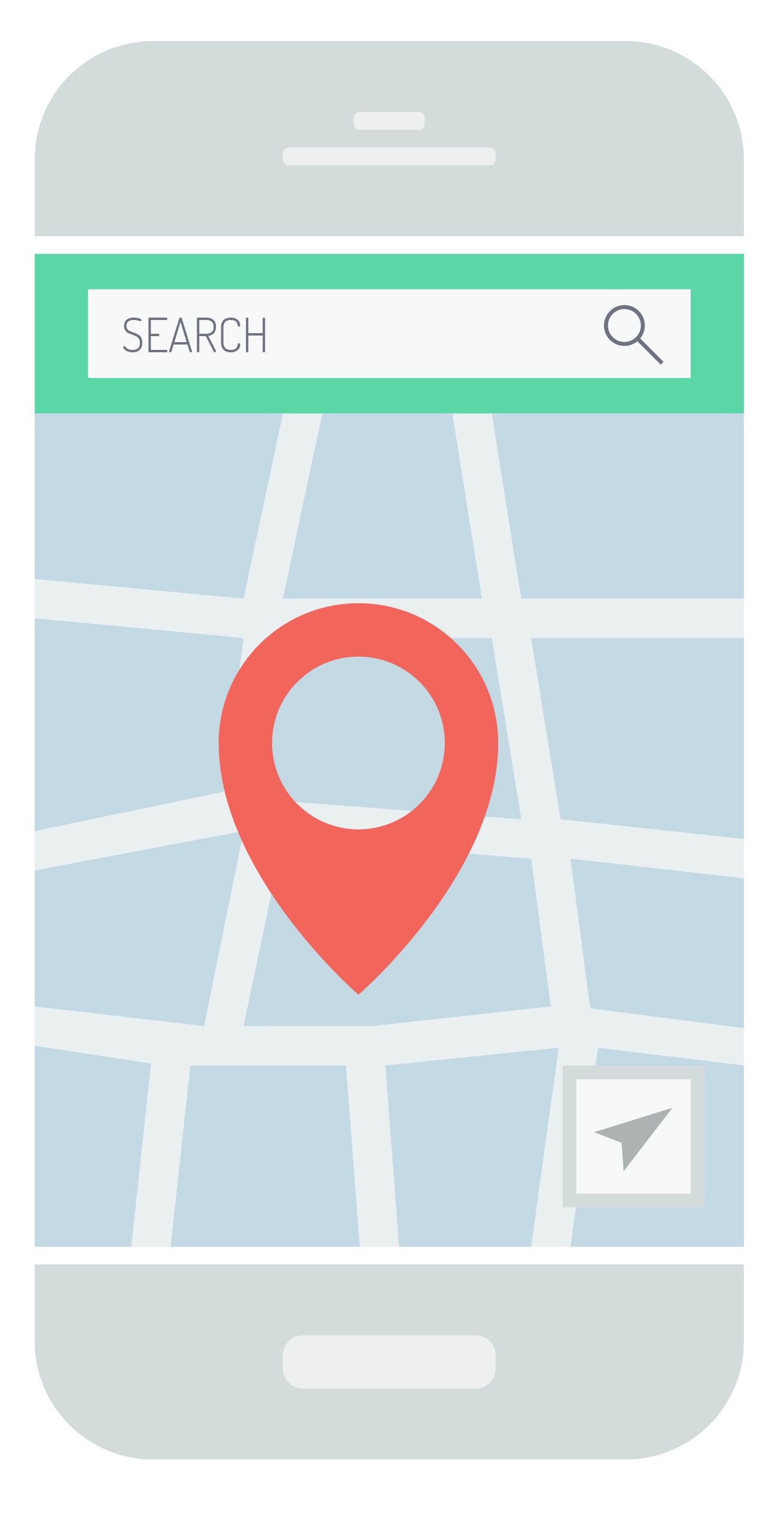
Google+ Local is the old name of Google My Business. On Google My Business you can claim pages for your business and create a social media profile where you can promote your business through images, postings and even linking your page with your YouTube channel to advertise your videos.

What does Google+ Local include?

Cultivating local reviews on your Google My Business page can impact your local search results. Additionally, your Google+ profile impacts what people see when they search for your brand and receive the sidebar profile of your business. This sidebar contains a wealth of valuable information, such as a description of your business, your hours, images and reviews. This display helps customers make quick decisions about whether or not your business is worth patronizing.

How do I optimize my Google+ Local page?

A well-optimized Google My Business page can offer a variety of benefits. You will draw the attention of customers with a positive side-bar display for branded queries. You may also be able to influence your overall search rankings, particularly if you have a number of positive reviews.

  1. Claim your business's Google My Business page
  2. Write a quality description about your business that encourages people to learn more about what you do. This description should incorporate important keywords in a natural way.
  3. Upload quality images of your business and the products and services that you provide.
  4. Make sure that your hours, name, address and phone number are all completely accurate-- this is the information that will displayed on the side bar and has to be correct for potential visitors.
  5. Encourage people to leave you a review on the site, such as by reminding them to do so after finishing a transaction
  6. Promote your profile through different means, such as your website and emails, to attract traffic.

Google+ Local, or Google My Business, can provide you with a valuable platform for engaging potential customers and encouraging them towards conversion. It also allows you to custom design the sidebar profile that customers see when they look you up. Take advantage of the platform and see what it can offer you.

<< Back to the SEO Glossary main page

Getting the Most Out of Facebook Ads

Definition

Facebook AdsWhat are Facebook ads?

Facebook ads appear in two main places on the Facebook page when a person signs in. The carousel arrangement has ads that show up directly in a user's news feed. This ad contains an image, a prominent feature of the brand’s name, a phrase or two of content and a click-through button.

The second type of ads appears on the right hand side of the news feed. These ads are a little simpler, with your content name and your web address.

How do I get the most out of my Facebook ads?

  1. Create different ads for mobile versus desktop. Users on mobile often have different intentions and different browsing habits than they do on desktop. Understand what your customers want to see in each scenario and design the ad appropriately.
  2. Test constantly. The importance of testing to determine the best images, the best text and the best targets cannot be underestimated. Try a few different designs to see which ones receive the most attention and the best returns, then use that insight to guide the campaign.
  3. Target your customers carefully. It is common to target your Facebook audience based upon interests or certain demographics, such as local cities, but it is also possible to target people based upon certain behaviors. Specifically, Facebook currently allows you to target people based upon factors such as their purchase intent and their devices.
  4. Segment your audience. Make sure that for each different group you intend to target, you develop an ad that specifically meets their needs and interests.

How do I determine if my Facebook campaign was a success?

To see how successful your Facebook campaign is, it is important to look beyond the basic click or impression. Here are a few metrics to watch:

  1. What did people do after seeing your ad? How many clicked through? How many visited your website? How many people liked or shared your content?
  2. How much did each conversion cost?
  3. What is your relevance score? This is a new factor that Facebook has recently started sharing with marketers. Now you can see how relevant Facebook sees your ad in relation to your audience. This number dictates how expensive your ads are, how often your ads are shown and the priority they are given.

Facebook ads can be a great way to engage with your audience on Facebook, improve brand reach and encourage people to enter your sales funnel. Start experimenting with your ads to see the value they can offer you.

<< Back to the SEO Glossary main page

Getting Started with Marketing Metrics and Content

Definition

What are the important marketing metrics for success?

The metrics that will best serve your needs will vary depending upon the purpose of your marketing campaign. For example, if you are running a campaign with a strong social media emphasis in an effort to drive brand awareness, you will focus more on metrics related to traffic, engagement, social shares and new followers that are attracted to your social platforms. On the other hand, if your campaign is going to be focused on the bottom line - revenue - then you will be paying more attention to conversions, the cost per conversion and the cost per lead.

What are the most important marketing metrics?

When you decide to run a new campaign, your team meeting should begin by determining your end objectives. You should not be creating a marketing strategy that is based around putting out content just because that is what everyone else is doing. Instead, your content should focus on performing a specific goal. You should be able to answer the following questions:

  • What do we want to accomplish with this specific campaign?
  • How will we determine success?
  • What buyer personas will this campaign be targeting?
  • What types of content/topics/keywords will best work with this campaign and this target audience?
  • What distribution platforms will help me best reach this target persona?

How can you measure the effectiveness?

  1. Develop your marketing campaign based upon the listed questions above. Keep your efforts tightly aligned with the data so that you can be confident that your marketing efforts are producing the material that this target audience is most interested in reading.
  2. Use your predefined metrics to see how well your campaign is reaching your selected goals.
  3. Revisit the areas where the campaign fell short and examine your marketing metrics. Look closely at each stage of the campaign for the weak step in the chain. For example, if your goal was to increase brand awareness through social shares and building your social communities, you might ask yourself:
    1. Did my audience read this article?
    2. If they did, did they share it?
    3. If they did, how many new people engaged with the article?

Use the answers to these questions to see where you need to make modifications. If your initial audience did not read the article, then you either selected a poor topic, did not engage them with the headline or you targeted the wrong audience. If they read it completely, but did not share it, it must not have appealed to their desire to share.

Using marketing metrics can help you run effective marketing campaigns that are not based on gut feelings, but rather consumer reactions and desires. The better you understand what the customer wants to see, the timelier your content will be and the easier it will be to draw in new customers.

<< Back to the SEO Glossary main page

Facebook Open Graph Protocol

Definition

What is the Facebook Open Graph protocol?

facebook open graph display iconOpen Graph is a protocol that allows you more control over how your content appears on Facebook. It is a series of tags that dictate how your items will be displayed. When you do not use this protocol, automatic generators will determine how the content you share appears, which can decrease engagement.

Why should I use the Open Graph protocol?

Facebook is an excellent platform for building your brand. It allows you to build your reputation with your customers by maximizing the appearance of the postings you make. When you build a strong Facebook page, you will be able to build a community among your followers. You will be able to engage with your prospects personally, helping them to see you as an individual, instead of just a corporation. When you answer their questions, they will also see you as a trustworthy authority.

Quality posts also encourage your followers to interact with your content and share it with their own connections, which can then increase your brand reach. The Open Graph protocol is an important part of taking advantage of these different opportunities. It maximizes the content you post that encourages the conversations on your pages, that invites people to ask you questions and that gets shared by your followers to attract more attention.

How to use the Open Graph Protocol?

facebook open graph

Step 1. Specify og:title

This is the tag for your title. You want to have title that is between 60 and 90 characters but not longer than 100. When a title goes beyond 100 characters, it will be automatically cut to 88.

Your code will look something like: <meta property=”og:title” content=”An Engaging Title Here”/>

Step 2. Define og:url

This tag will dictate the canonical URL for your page.

Your code will look like: <meta property=”og:url” content=”http://www.yourwonderfulsite.com”/>

Step 3. Fill in og:type

This describes the type of content you are sharing. For example, you can share:

  • Web-based content, like articles
  • entertainment-oriented content, such as books or movies
  • people, such as politicians or actors

To see the full list of available types you can visit this site. If you do not designate a type of content, ‘website’ is assumed by default.

This code will look like: <meta property=”og:type” content=”website” />

Step 4. Write og:description

This controls how the link will be described for someone who sees it in their feed. It does not impact SEO, so keywords are not necessary, but you should focus on engaging copy. About 200 characters will be best.

This code will look like:

<meta property=”og:description” content=”An engaging, entertaining website description.” />

Step 5. Work with og:image

Without Open Graph tags, any image on your page can be selected when you share content-- including ad images. Your images can be up to 5MB. The resolution of 1200 pixels x 627 pixels often works best for attracting attention within Facebook’s limits. Images below 400 pixels look more like a thumbnail.

This code will look like: <meta property=”og:image” content=”http://www.yourwonderfulsite.com/image-name.jpg” />

In addition to these tags, there are also other metadata that can be included. If you are interested in finding more tags to include with your content, you can read more here.

Facebook is a fantastic resource to help you engage with your potential customers and take the first steps towards building relationships. Using the Open Graph Protocol will enhance your ability to display your content to these followers, thus boosting your engagement and success.

Related materials

facebook open graph local seo logo

<< Back to the SEO Glossary main page

What is Mobile Ecommerce?

Definition

Mobile ecommerce describes online sales transactions processed on mobile phones or tablets. These devices interact with computer networks that conduct online merchandise purchases.

SEO for ecommerce websites will drive organic traffic - brightedgeWhy is a mobile E-commerce SEO strategy important?

Mobile continues to play an increasing role in the success of ecommerce. By 2021, mobile ecommerce sales are expected to account for 54% of total ecommerce sales.

In addition to using mobile to make purchases, customers also use mobile to research purchasing decisions before buying either in store or on a desktop. An estimated 73% of customers say they like to browse online before making a purchase in a store. At BrightEdge, we have also been tracking the growth of ecommerce. We found that in 2017, 57% of all traffic online was coming from mobile devices and tablets, which has had a consequent impact on the nature of ecommerce.

Customers’ comfort with mobile shopping has grown, and thus the industry can no longer ignore the significance of mobile in the ecommerce world.

How do I optimize for mobile E-commerce?

You should already be using a website that operates on a responsive design model across the entire site, but there are several things you can do to make your ecommerce page even more mobile friendly.

1. Make it easy for people to find a physical store

Since so many people like to comparison shop online before buying in-store, make it easy for people to make the jump from online shopping to in-person shopping.

2. Help customers understand the products.

Include mobile-friendly product videos, the ability to zoom in on images and high-quality visuals to help customers understand your product and feel more confident before hitting the "buy" button.

3. Make it easy for people to log in to make payments

Payments can be a challenge for mobile users because it is often difficult to type in long number sequences, like what is needed for a credit card or check. Instead, you can offer people the chance to make an account on your site, where you can save their credit card information. You can also make it easy for them to use mobile payment options, such as PayPal, Google Wallet or MasterCard MasterPass. One study found that offering these alternate options to users resulted in a 101% increase in conversion rates from smartphone users. 

4. Minimize forms.

Remember how difficult it is to type in information on mobile devices. Minimize the forms on the page and autofill what you can.

5. Help customers understand the products.

Mobile ecommerce is quickly becoming an industry staple. Brands need to be prepared to serve these customers online and in-store. The first step towards creating this outstanding user experience is making sure your site is completely mobile-friendly.

Understanding Data Guiding SEO

Definition

Guiding SEO Data with BrightEdgeWhat is SEO data?

The content marketing industry has become increasingly saturated over the past few years. Now an estimated 80 percent of B2B companies say they have some kind of content marketing strategy and 76 percent B2C companies say that they use content marketing. Each year budgets increase and more brands start developing their own content to compete.

While these developments are generally positive, they do make it more challenging for brands to rank well in SERPs. Data is the key to understanding what customers want and when, so that you can be there to provide it for them and guide them through the buyer’s journey.

Do Data Research Through Data Cube

What does SEO data include?

Brands can monitor nearly everything in content and search marketing, but there are a few types of data that brands need to focus on particularly closely.

Keyword data

Brands should monitor the keywords most applicable to their industry and use data to understand which of these terms and phrases matter the most to their customers.

Website analytics

Brands should pay attention to their website’s overall performance, including traffic rates, bounce rates, engagement and ranking in SERPs.

Conversion analytics

Conversion is the final goal of marketing campaigns, so brands should always track how well their efforts are leading towards conversion. Track conversion numbers, cost per lead and cost per conversion.

Customer analytics

Understanding the customer is the cornerstone of any quality content marketing campaign. Brands should know the customers that are responding to their marketing efforts and how well they line up with the original ideal personas.

How do I get started using data for SEO?

  1. Use data to identify keywords and topics that you would like to target.
  2. Use this information to determine the types of content, the topics, the keywords and the distribution plan that you will use for your campaign.
  3. Create goals for every level of your campaign, including traffic, conversion and cost rates.
  4. Use analytics to monitor how your campaign performs compared to these goals.
  5. With your results in hand, determine what modifications need to be run on the campaign to be more successful in the future.

Data can help make your campaigns more efficient and more productive. By guiding each step of the campaign, the numbers offer you irreplaceable insights about what your customers want to see and how well your efforts are lining up.

<< Back to the SEO Glossary main page

What is Channel Marketing?

Definition

What is cross-channel marketing?

Omnichannel marketing, or cross-channel marketing, involves managing your brand's exposure across social media, mobile apps, websites, email and word-of-mouth recommendations. Cross-channel marketing provides customers an integrated, consistent experience across your brand.

Get Insights For PPC, Organic, And More With Site Report

Channel Marketing attribution - BrightEdge

What is a multi-channel marketing campaign?

Multi-channel customer experience refers to user interaction with a brand through a number of channels. Customers today have access to companies across a variety of platforms, 24 hours a day, 7 days a week. They read emails on smartphones, comparison shop on tablets, research on social media and purchase in person. Between multiple channels these consumers have created a world where they are in control of a vast majority of the sales process.

Cross-channel marketing allows brands to keep pace with the desires of customers. As Experian Marketing Services says, “Your customers see a brand, not a channel.” Regardless of where your customers interact with your organization, they want to have a consistent experience.

How is the multi-channel customer experience changing marketing?

Brands need to understand how to build campaigns that account for customers who comparison shop or redeem coupons on one platform, and then make the actual purchase in another. They need to learn how to properly note response attribution. Also, they must make sure that campaigns are coordinated so that customers in store can discuss their mobile promotions with informed employees.

Creating a successful cross-channel marketing strategy requires the entire brand to get behind the commitment. There will be changes in every department from product development to sales. To successfully make the transition, the brand leaders need to understand the necessity of this step and be behind developing a coherent strategy for their organization.

How to prepare for different channel marketing?

  1. Pull customer information from a wide variety of sources, including browsing history, responses to past campaigns, purchase history, loyalty behavior and customer/market research to begin to create accurate metrics.
  2. Plug this information into technology that allows you to interpret multiple touch points to follow the customer’s journey.
  3. Base your decisions on analytics, not on gut feelings. With so many different dimensions to cross-channel marketing, you need to trust the data.
  4. Understand important touch points and the best ways to reach customers using  data and combine it with your buyer personas.
  5. Properly attribute channels that lead to conversion, both on and offline—not relying on the outdated ‘last touch’ method.

Customers today engage with brands on a variety of channels. For brands to be able to effectively market, they need to be able to understand what channels their customers are coming from and what brought them there. Only when a brand has this information can they successfully find and convert more customers. In the channel marketing world, however, where every customer takes a different journey, it can be challenging. Keep the above advice in mind and help your brand prepare for the marketing of the future.

<< Back to the SEO Glossary main page

What is a Buyer Persona?

Definition

discover how to create a buyer's persona - brightedgeBuyer personas are outlines of the different types of customers that convert for your business. Marketers use these models of your ideal customers to build targeted strategies.

When used correctly, buyer personas can help you better understand who you are writing content for and how to develop particular campaigns. Most companies create between 3-5 buyer personas. If you have significantly more than that, see if you are being too specific and try to merge a few groups together. If you do not have enough, look carefully at your company’s pain points and motivating factors. These factors are often key to differentiating between personas.

What does a buyer persona look like?

Creating a buyer persona involves going back over your sales records to gain a clear picture of the type of person who patronizes your business. You want to answer key questions about this type of customer that can help you identify pain points and motivations that caused them to buy your company’s products.

When you understand what people are looking for when they find your business, you will be able to create more targeted marketing campaigns.

It can often be helpful to go beyond just outlining the different motivations of a persona. Brands should understand the roles that these customers have at their organizations, including their budgets and background. The more information you can fill in for your persona, the easier it will be to imagine this persona as an actual person that you are selling to, rather than just an abstract thought.

What types of questions should I be able to answer about my buyer personas?

  • What is their role in their organization?
  • What is their budget?
  • What is the problem they are experiencing?
  • What do they want to accomplish with their purchase?
  • What are their pain points?
  • What is motivating them?

You should be able to collect a considerable amount of this information by reviewing your past customers and market research. Many brands also find it helpful to speak directly with their past customers. Ask them what brought them to the business and learn what matters most to them in a business transaction.

How do I create buyer personas?

  1. Look over your past customers and market research to learn who is most likely to target your brand.
  2. Use this information to create a full profile on a specific type of customer, including their pain points and motivations.
  3. Interview and survey customers to fill in any blanks to create a full picture.
  4. Aim to create 3-5 personas.
  5. Use these personas to guide your marketing efforts.

Buyer personas can be very helpful for brands to understand who they are marketing to and to what they will respond best. Take time to break down your customers and pinpoint the types of people you need to target to enhance your marketing efforts. Then, match your personas to their buyer’s journey to create targeted marketing campaigns.

<< Back to the SEO Glossary main page

How Do I Create a Site That is Easy to Navigate?

Definition

Site That is Easy to NavigateWhy is it important for a website to be easy to navigate?

Both the search engines and your site visitors want to find a site that is easy to navigate and so they can find the information being sought. When sites are difficult to get around, Google can penalize you in the SERPs, reducing your visibility. Google knows that when sites are confusing, the user experience is negatively impacted, and they do not want to highly rank sites that do not make customers happy.

For customers themselves, most will not waste time trying to find the information they had wanted. Most instead will just click off and try another site. Not only does this detract from your bottom line itself, but when you have people regularly click off your site, you will have a bad bounce rate, which can also negatively impact you in the SERPs.

What attributes make a site easy to navigate?

Your site layout should be primarily built around the user. This means the following:

  • Name pages logically so users know what they contain
  • Make folders and navigational systems sensible
  • Make it easy for visitors to see where they are in your site
  • Include a search box to streamline the ability of customers to find what they seek
  • Make contact information easy for visitors to find

How do I know if my site is user-friendly?

The best way to know if your site is user-friendly is to look at your metrics. In particularly, ask yourself these questions:

  • How do people move around my site? Are they clicking quickly from page to page-- which indicates they are looking for something they cannot find?
  • What is my bounce rate?
  • How many return visitors compared to new visitors do I get?
  • What percent of my visitors become leads? How many leads become customers?

Site usability is an important factor in creating a positive user experience. Failure to keep these ideas in mind can easily result in search engine penalties and unhappy customers. Always put the customer first when designing a website and you will be on the right track.

<< Back to the SEO Glossary main page

What is International SEO?

Definition

International SEO is the process of optimizing your site for international search engines, so bots can more easily identify the country and languages your site is targeting.

View a list of major international search engines or read our Best Practices for International SEO.