Facebook Open Graph Protocol
What is the Facebook Open Graph protocol?
 Open Graph is a protocol that allows you more control over how your content appears on Facebook. It is a series of tags that dictate how your items will be displayed. When you do not use this protocol, automatic generators will determine how the content you share appears, which can decrease engagement.
Why should I use the Open Graph protocol?
Facebook is an excellent platform for building your brand. It allows you to build your reputation with your customers by maximizing the appearance of the postings you make. When you build a strong Facebook page, you will be able to build a community among your followers. You will be able to engage with your prospects personally, helping them to see you as an individual, instead of just a corporation. When you answer their questions, they will also see you as a trustworthy authority.
Quality posts also encourage your followers to interact with your content and share it with their own connections, which can then increase your brand reach. The Open Graph protocol is an important part of taking advantage of these different opportunities. It maximizes the content you post that encourages the conversations on your pages, that invites people to ask you questions and that gets shared by your followers to attract more attention.
How to use the Open Graph Protocol?
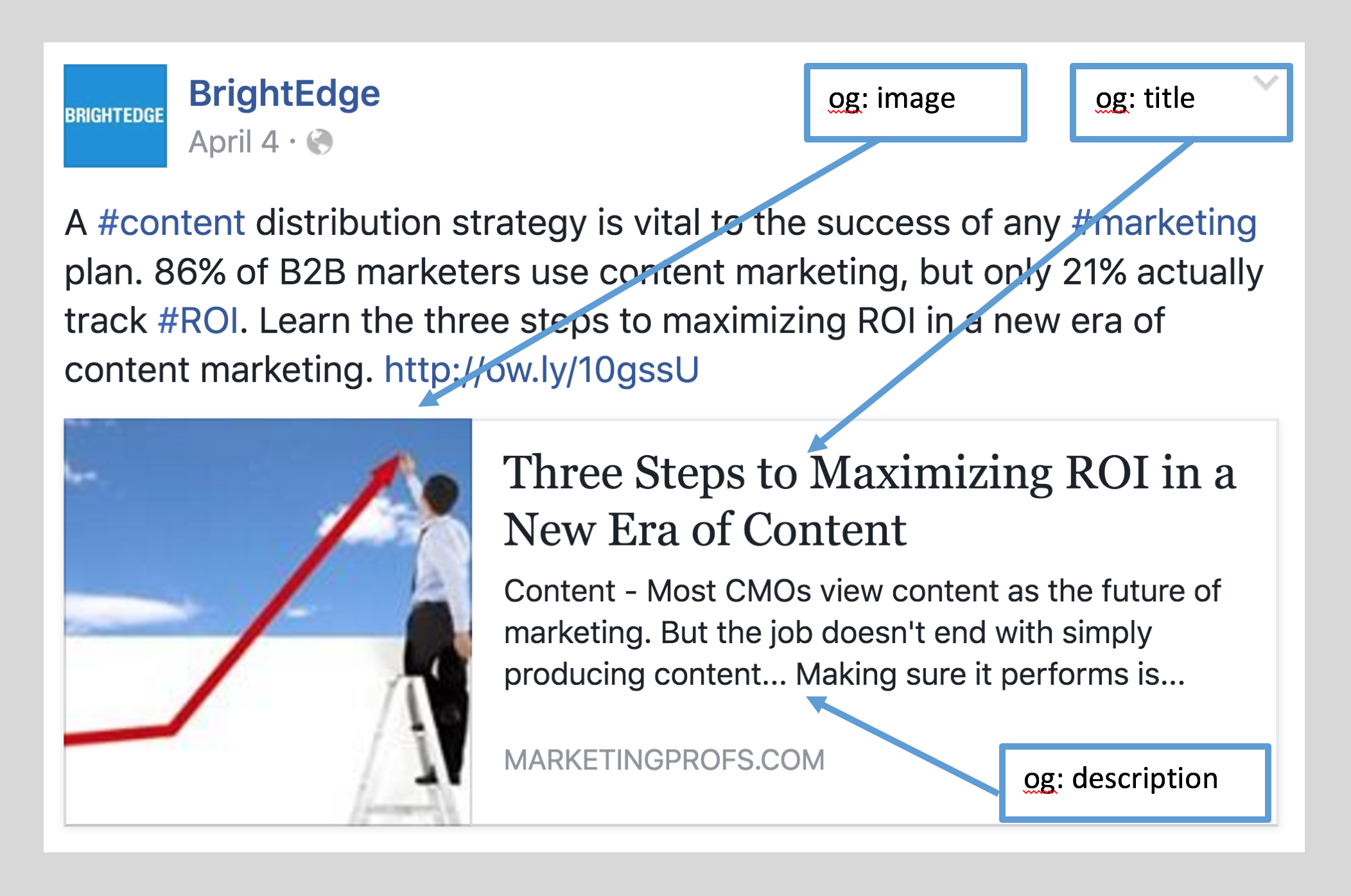
Step 1. Specify og:title
This is the tag for your title. You want to have title that is between 60 and 90 characters but not longer than 100. When a title goes beyond 100 characters, it will be automatically cut to 88.
Your code will look something like: <meta property=”og:title” content=”An Engaging Title Here”/>
Step 2. Define og:url
This tag will dictate the canonical URL for your page.
Your code will look like: <meta property=”og:url” content=”http://www.yourwonderfulsite.com”/>
Step 3. Fill in og:type
This describes the type of content you are sharing. For example, you can share:
- Web-based content, like articles
- entertainment-oriented content, such as books or movies
- people, such as politicians or actors
To see the full list of available types you can visit this site. If you do not designate a type of content, ‘website’ is assumed by default.
This code will look like: <meta property=”og:type” content=”website” />
Step 4. Write og:description
This controls how the link will be described for someone who sees it in their feed. It does not impact SEO, so keywords are not necessary, but you should focus on engaging copy. About 200 characters will be best.
This code will look like:
<meta property=”og:description” content=”An engaging, entertaining website description.” />
Step 5. Work with og:image
Without Open Graph tags, any image on your page can be selected when you share content-- including ad images. Your images can be up to 5MB. The resolution of 1200 pixels x 627 pixels often works best for attracting attention within Facebook’s limits. Images below 400 pixels look more like a thumbnail.
This code will look like: <meta property=”og:image” content=”http://www.yourwonderfulsite.com/image-name.jpg” />
In addition to these tags, there are also other metadata that can be included. If you are interested in finding more tags to include with your content, you can read more here.
Facebook is a fantastic resource to help you engage with your potential customers and take the first steps towards building relationships. Using the Open Graph Protocol will enhance your ability to display your content to these followers, thus boosting your engagement and success.
Related materials
- Learn the real power of Open Graph Protocol
- Facebook Open Graph Debugger
- BrightEdge complete solution for driving content performance with Facebook
- Tracking social content performance with BrightEdge